
dsh-verify
Coding Tools263311487-ux/dsh-verify
A quality gate for agent-built web apps, performing real-browser acceptance checks via CLI, MCP, and GitHub Action.
- acceptance-testing
- agent
- ai-agents
- browser-testing
- claude-code
- cursor
- deepseek-harness
- dsh-plugin
- e2e-testing
- github-action
- mcp
- mcp-server
- playwright
- quality-gate
- testing
- verification
Verification and compatibility
This section shows evidence collected by the catalog. Undeclared information is labeled as unknown.
- Current-version compatibility
- Verified on the catalog Harness version
- Declared Harness range
- Not declared
- Declared platforms
- Not declared
- Profiles
- web
- Build approval
- Unknown
- Permissions
- Not declared
- External services
- Not declared
- Telemetry
- Unknown
This is not a security endorsement. Review source, permissions, and configuration before installing.
View evidence and scope
Verification covers only the named source, version, and Harness environment. It does not guarantee future compatibility.
dsh-verify@0.9.1- The manifest and static structure passed checks; a runtime load check has not completed.
README
dsh-verify
中文 | English
Witness — Check the behavior your browser spec describes. Browser assertions can expose some implementation gaps; they do not prove an app is complete or independently reviewed. (Witness is the product name;
dsh-verifyis the package name — same thing.)





If Witness catches something for you, ⭐ star the repo — it's how this project stays alive.
You asked an AI to build a web app. It said "done." Does it actually work?
dsh-verify opens a real browser and checks — so you never have to take the agent's word for it.
First success — no API key
Requires Node.js 20+ and a one-time Chromium download. Install the current npm release with npm install --save-dev dsh-verify@0.9.6, then run npx dsh-verify init. Alternatively, run from a clone checkout:
git clone https://github.com/263311487-ux/dsh-verify && cd dsh-verify
npm ci
npx playwright install chromium
node bin/verify.mjs init
cd dsh-verify-starter
node ../bin/verify.mjs --spec dsh-verify.spec.json
# PASS (5/5), exit 0 -> dsh-verify-out/report.html
node ../bin/verify.mjs --spec dsh-verify.fail.json --out failed-report
# Intentional FAIL (4/5), exit 1 -> failed-report/report.html
Open either HTML report with its adjacent PNG file. The failing spec deliberately expects wrong text; inspect the assertion and screenshot. Existing missing-CSS failure report is another inspectable example.
init [directory] only writes a local fixture and two JSON specs. It never calls an LLM, launches a browser, or downloads anything. The destination must be new (its parent must exist); existing directories, files, and symlinks are refused without changes. No force/overwrite option. GitHub package and browser installation require internet; these starter checks use localhost only. gen and MCP generate_and_verify are optional, separate features that require an LLM key.
To check your own app, edit the JSON steps; keep serve for static files or use base for an existing URL. serve paths resolve from the command's current directory, not the spec file. A PASS applies only to the supplied checks in that run; it does not establish complete coverage, security, accessibility, or independent authorship. The app and spec may come from the same agent; review the spec separately when independence matters. Reports retain assertion details and explicitly requested screenshots, not a complete audit trail.
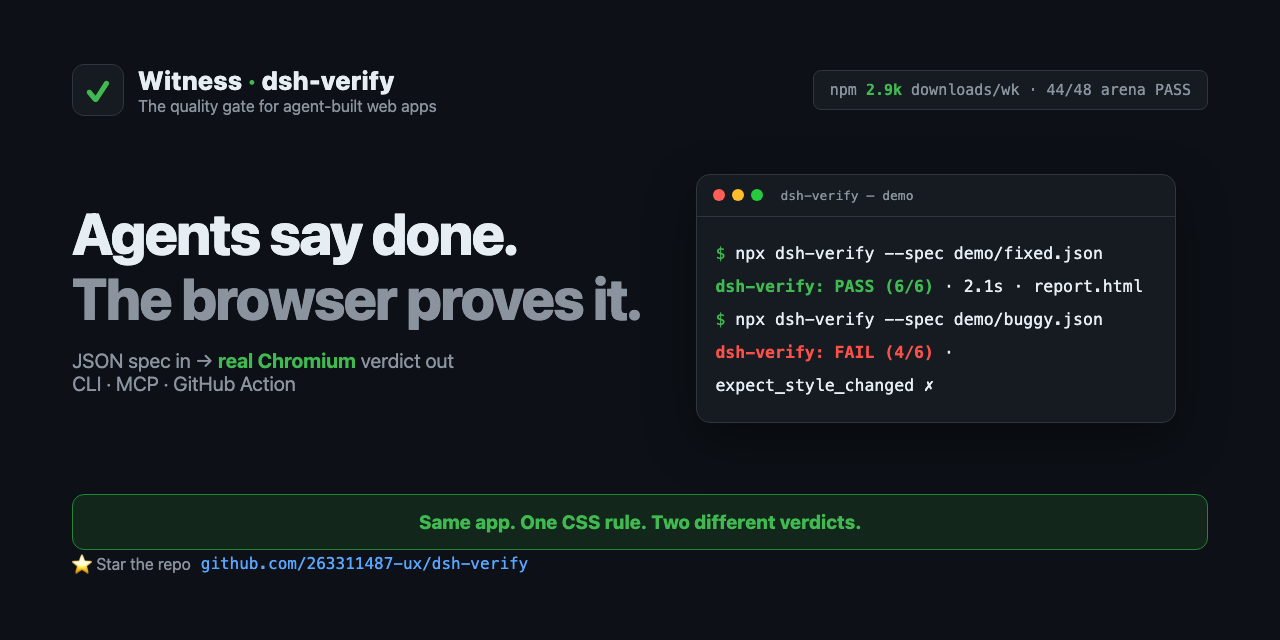
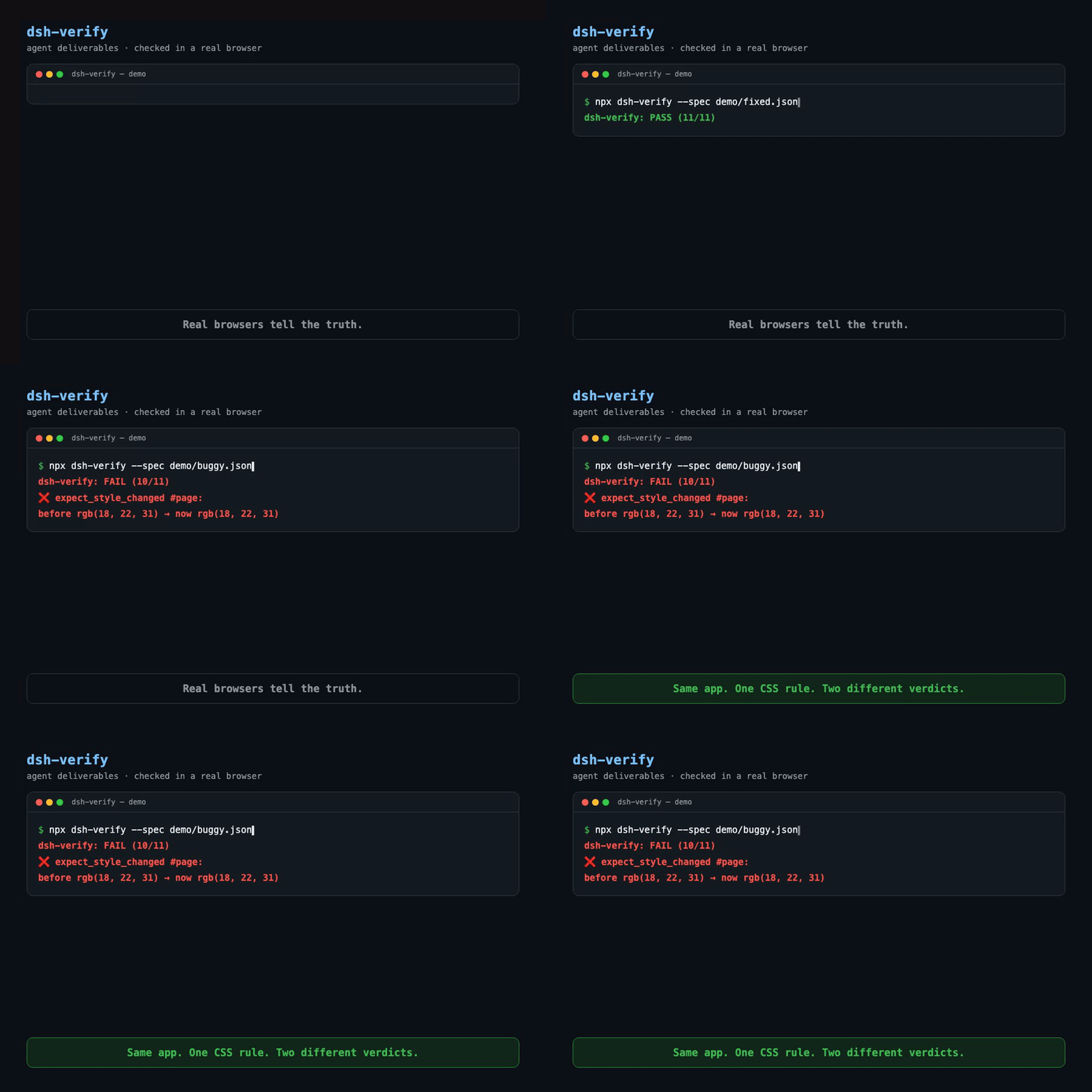
The quality gate for agent-built web apps. Works with any agent — DeepSeek Harness (dsh), Claude Code, Cursor, Copilot, Codex — and with any CI. You write what a human would check in a browser; a real browser executes it and returns a PASS/FAIL verdict with receipts (screenshots + diff images).
No LLM judges the outcome. The browser is the judge.
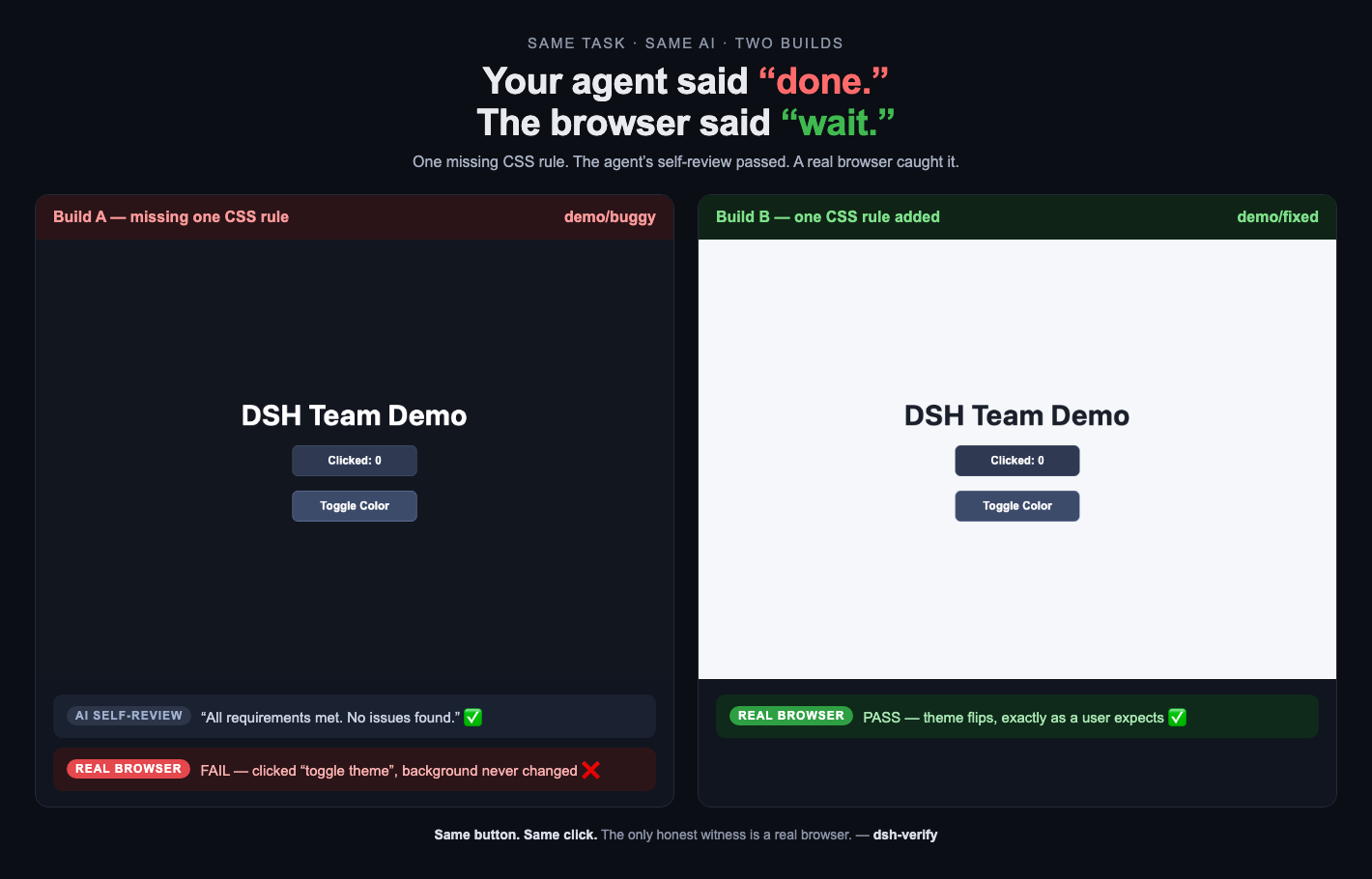
Same task. Same AI. Two builds. One missing CSS rule — the agent's self-review passed, a real browser caught it.
Why this exists
We ran a 4-agent web team (spec writer → frontend dev → QA → reviewer). Their own review said:
✅ "All requirements met. No issues found."
In a real browser, the dark-mode toggle did nothing — the .dark class was toggled, but the CSS rule was never written. Every agent self-test passed because there was nothing in the page for the agents to run. No one opened a real browser.
That's the gap: agents verify against what they believe they built, not against what a user actually experiences. These checks did not exercise the rendered CSS behavior; a browser assertion can cover it.
| Build | What the agents said | What a real browser says |
|---|---|---|
demo/buggy | "No issues found" | ❌ FAIL — background never changes |
demo/fixed | one CSS rule added | ✅ PASS — theme flips |
Same page. Same JS. One missing CSS rule. Two different verdicts.
How it fits with other tools
- Playwright scripts provide a general browser API. This package exposes common checks as a reviewable JSON spec and report; custom scripts remain useful for flows outside this schema.
- LLM evaluation tools can assess open-ended outputs and may also integrate browsers. This package evaluates explicit browser assertions without an LLM deciding their result.
- Agent browser tools let agents operate a page. Stored specs make repeat runs inspectable; independent review still depends on who writes and reviews the spec.
- Visual regression tools detect pixel changes. This package combines screenshot comparisons with behavior assertions; coverage depends on the chosen checks.
Use it three ways
| Entry point | What it's for | One-liner |
|---|---|---|
| MCP server | Your AI agent verifies its own deliverable, mid-session | claude mcp add dsh-verify -- npx -y -p dsh-verify dsh-verify-mcp |
| CLI | You or your CI verify a build/URL | npx dsh-verify init |
| GitHub Action | Every push runs real-browser checks | uses: 263311487-ux/dsh-verify/.github/actions/dsh-verify@main |
From any AI agent (MCP)
claude mcp add dsh-verify -- npx -y -p dsh-verify dsh-verify-mcp
Then tell your agent, in plain words:
Verify http://localhost:3000 — click
#dark-toggle, then checkbodybackground-color changed. Screenshot it.
Tools exposed: verify_spec (run a spec JSON), verify_url (inline checks, no files), generate_and_verify (the AI drafts the checklist, real Chromium executes it), health.
In CI (GitHub Action)
- uses: 263311487-ux/dsh-verify/.github/actions/dsh-verify@main
  with:
    spec: demo/fixed.json       # spec file or glob
    # url: https://staging.example.com   # optional override
    # out: dsh-verify-out               # report output dir (default)
The repo dogfoods it: the dogfood workflow asserts the fixed build passes and the buggy build fails on every push.
On the command line
npm install -g dsh-verify          # or: npx dsh-verify
npx playwright install chromium    # one-time browser download
npx dsh-verify --spec 'specs/*.json'
# [PASS] specs/home.json (5/5)
# [FAIL] specs/cart.json (4/5)
#   ❌ expect_text #total: got "0" want "99"
What's in the box
- Deterministic assertions — Chromium, Firefox, or WebKit executes supplied checks: click, fill, text, classes, computed styles, URLs, console/network errors, and pixels. Coverage depends on the spec and browser.
- Inspectable reports — HTML results accompany screenshot and difference image files when those actions run;
--jsonis available for CI. Exit 1 alone does not distinguish assertion failures from runtime errors; inspect the structured verdict and failed actions as the release checker does. - Visual regression — screenshot baselines, pixel-diff with thresholds (
expect_screenshot), refresh with--update-baselines. - AI-drafted checklists —
dsh-verify gen --url ... --prompt "..."learns the page in a real browser, has an LLM draft the checklist, then executes it deterministically. The AI drafts; it never judges. - Multi-browser —
chromium|firefox|webkitper spec or--browser. - Zero framework lock-in — a JSON spec is all there is. No config language, no SDK, no vendor.
Example spec
{
  "title": "my app",
  "serve": "dist",
  "browser": "chromium",
  "steps": [
    { "action": "goto", "path": "/index.html" },
    { "action": "click", "selector": "#count-btn", "count": 3 },
    { "action": "expect_text", "selector": "#count-btn", "text": "Clicked: 3" },
    { "action": "capture_style", "selector": "#page", "prop": "backgroundColor", "var": "bg_before" },
    { "action": "click", "selector": "#color-btn" },
    { "action": "expect_class", "selector": "#page", "class": "dark", "present": true },
    { "action": "expect_style_changed", "selector": "#page", "prop": "backgroundColor", "var": "bg_before" },
    { "action": "screenshot", "name": "final-state" }
  ]
}
Top-level fields: title, serve (static dir) or base (target URL), browser, steps. Run many at once with a glob; exit is 0 only if all pass.
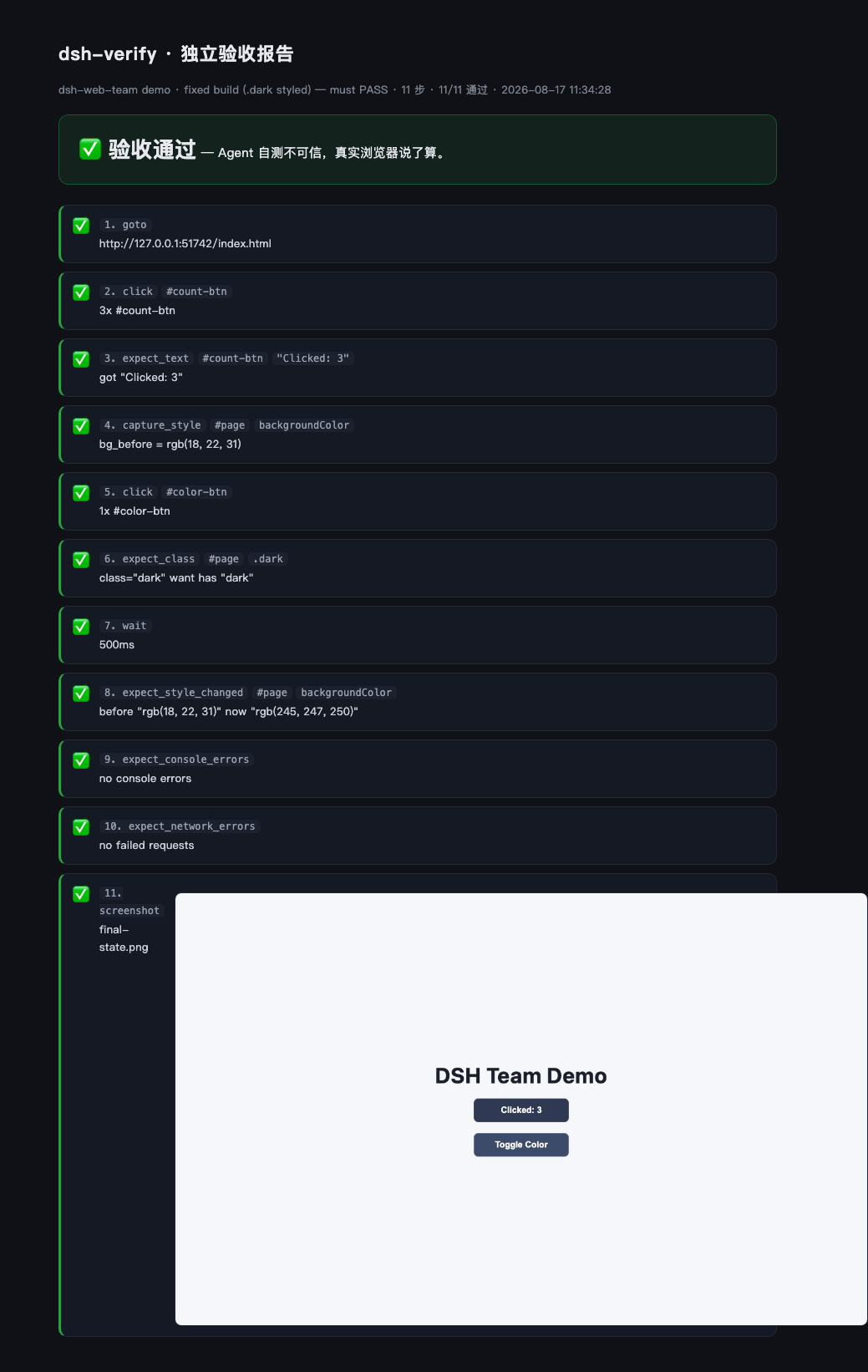
The report
An HTML report with adjacent image files — every step with a pass/fail badge, selector, and detail, plus screenshots:
Agent Arena — bring your agent
Real-browser benchmark for agent-built web apps: same 3 tasks, same human checks, open entry. Run your model on the board in ~10 minutes:
git clone https://github.com/263311487-ux/dsh-verify && cd dsh-verify
npm install && npx playwright install chromium
export LLM_API_KEY=sk-...          # any OpenAI-compatible model
node arena/run.mjs --agent "gpt-5/single" --task all --repeat 1 --submitter yourname
Submit the result files for maintainer review before they appear on the leaderboard: agent-arena. Full rules in docs/ARENA.md.
Prove it (run it yourself)
git clone https://github.com/263311487-ux/dsh-verify && cd dsh-verify
npm install && npx playwright install chromium
npm run demo:fixed    # → PASS (11/11)
npm run demo:buggy    # → FAIL (exit 1) — the missing .dark rule, caught
npm test              # engine self-tests
The repo's own CI runs exactly that — engine self-tests, then asserts fixed passes and buggy fails — so the tool verifies itself on every push.
Agent Arena — can agents ship working web apps?
Historical snapshot, not a current model ranking. The committed records span 2026-08-17–18 UTC: 48 records, 44 PASS, 2 FAIL, 2 ERROR. Among the 46 records with a browser verdict, 44 passed and 2 failed; the two ERROR records are runner failures. The records cover two model labels × two strategies × three static tasks (four records per cell). Self-check allows up to two repair rounds, so compute budgets differ. Model labels are recorded identifiers, not independently verified identities.
Records do not pin historical verifier/dependency versions. Generated apps, model replies, and local report files are not committed, limiting exact reproduction. No new LLM runs were made for the 0.9.5 or 0.9.6 release. See methodology and limitations.

See docs/ARENA.md — methodology, the tasks, and how to run your own agent.
Badge your agent-built app
The following static image is illustrative only. It is not bound to a particular app, commit, spec, or successful run:
[](https://github.com/263311487-ux/dsh-verify)
For a result tied to a specific build, publish the commit, spec, action run, verdict, and report together. See docs/verified-badge.md.
Roadmap
- MCP server · AI-drafted checklists · visual regression · multi-browser · GitHub Action · dsh plugin
- Agent arena — a public benchmark: give the same task to different agent setups, grade them in real browsers, publish the leaderboard
- Spec recorder (browser extension: click through once → spec generated)
- Cloud runs + shareable report links + PR comments
Related
- dsh-doublecheck — delivery quality gate for DeepSeek Harness (/gate): requirements grill + evidence discipline. Complementary pair: /gate keeps the evidence honest, dsh-verify keeps the browser honest.
- falsify — the scientific thinking protocol for AI agents (hypothesis → falsify → evidence → calibrated conclusion). The pair: falsify catches the wrong conclusion, dsh-verify catches the broken output.
- Featured in the DeepSeek Harness community — Show Your Plugins: dsh-verify (48-run Agent Arena results in-thread)
License
MIT


