
dsh-outdoor-theme
UI & ExperienceEstellalee/dsh-outdoor-theme
DSH outdoor theme: hiking/mountain-wilderness reskin for the web UI, pure CSS, with settings panel and waypoints progress panel.
- deepseek-harness
- dsh
- dsh-plugin
- theme
Verification and compatibility
This section shows evidence collected by the catalog. Undeclared information is labeled as unknown.
- Current-version compatibility
- Verified on the catalog Harness version
- Declared Harness range
- Not declared
- Declared platforms
- Not declared
- Profiles
- web
- Build approval
- Unknown
- Permissions
- Not declared
- External services
- Not declared
- Telemetry
- Unknown
This is not a security endorsement. Review source, permissions, and configuration before installing.
View evidence and scope
Verification covers only the named source, version, and Harness environment. It does not guarantee future compatibility.
github:Estellalee/dsh-outdoor-theme#236e5426f9a833191dd57758caef1fcd076d51ad- The manifest and static structure passed checks; a runtime load check has not completed.
README
🏔 DSH 户外皮肤 · 山野向导(Trail Guide)
把 DeepSeek Harness(DSH)的网页界面整体换皮为徒步山野风格。纯 CSS 换皮 + 一个设置面板入口 + 一个右侧「路标」进度面板,不改动任何界面逻辑。
内置 1 套换皮皮肤「山野向导」(含亮色「清晨草甸 Morning Meadow」/ 暗色「暮色森林 Dusk Forest」两套配色),在设置面板「皮肤」行一键切换:
| 皮肤 | 名称 | 感觉 |
|---|---|---|
| 默认 | Default | DSH 原样式(可一键切回) |
| 🏔 | 山野向导 Morning/Dusk | 松墨绿 + 苔绿 + 唯一信号橙 |
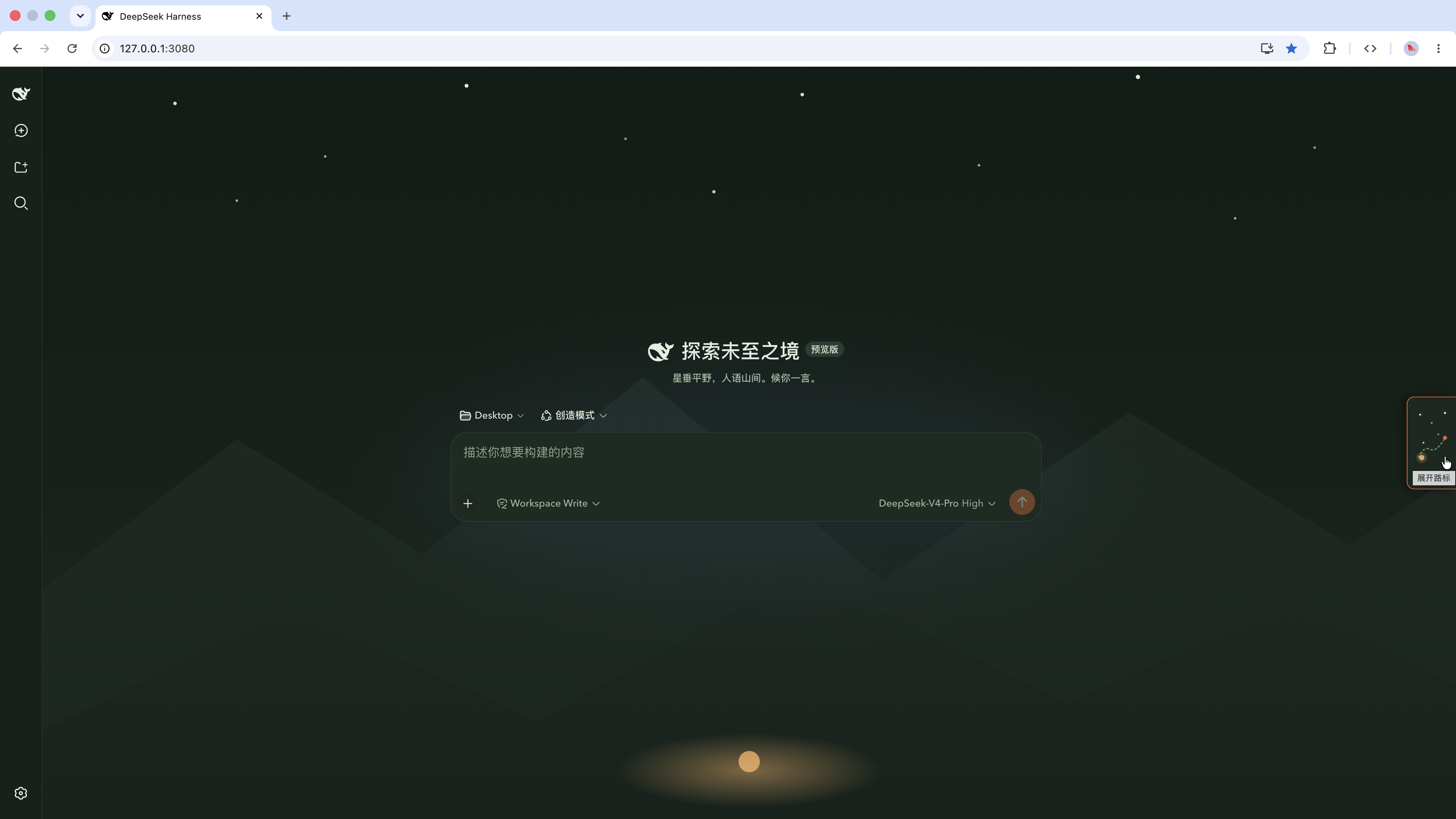
效果截图
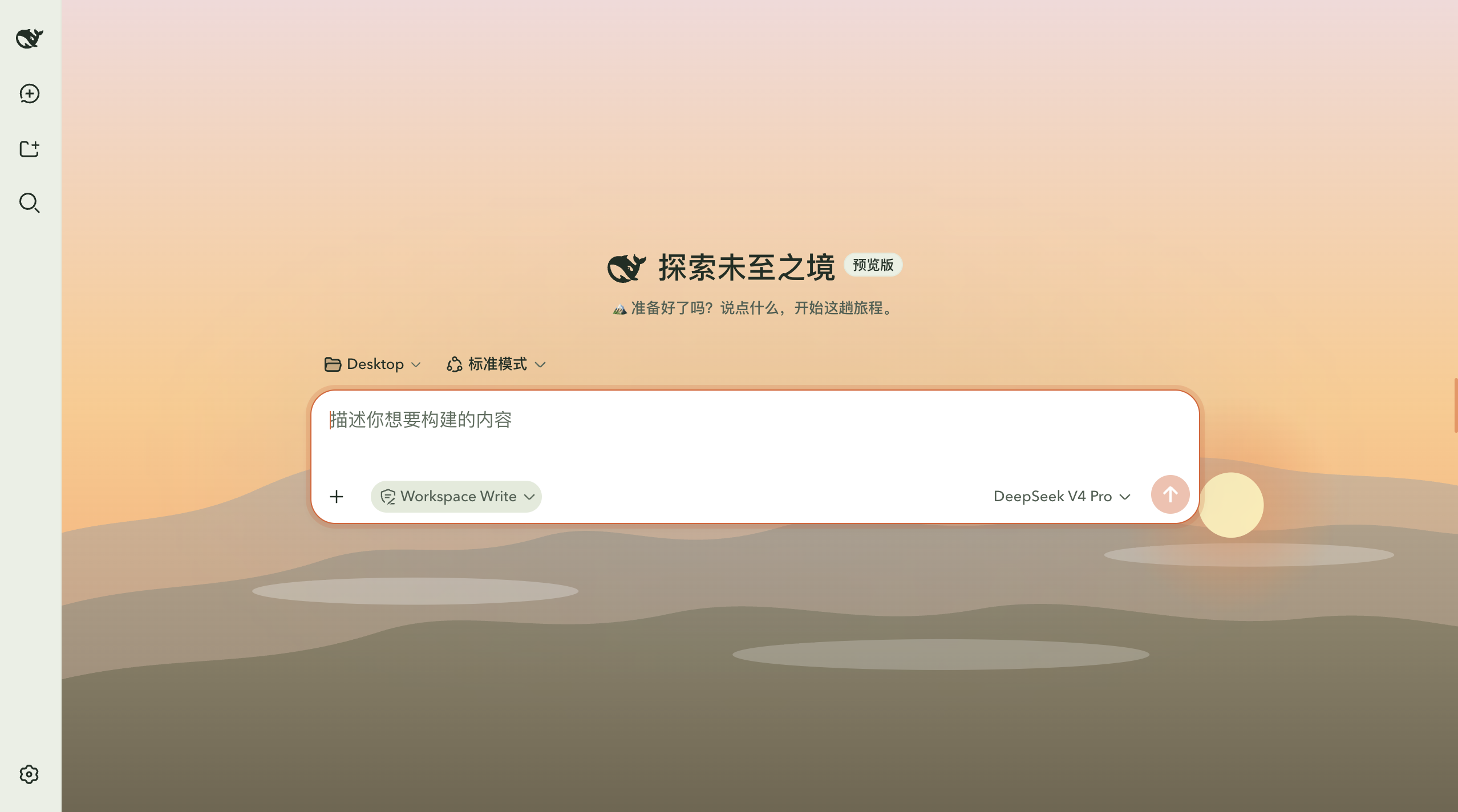
浅色模式 · 日落时分(Light Mode · Sunset)
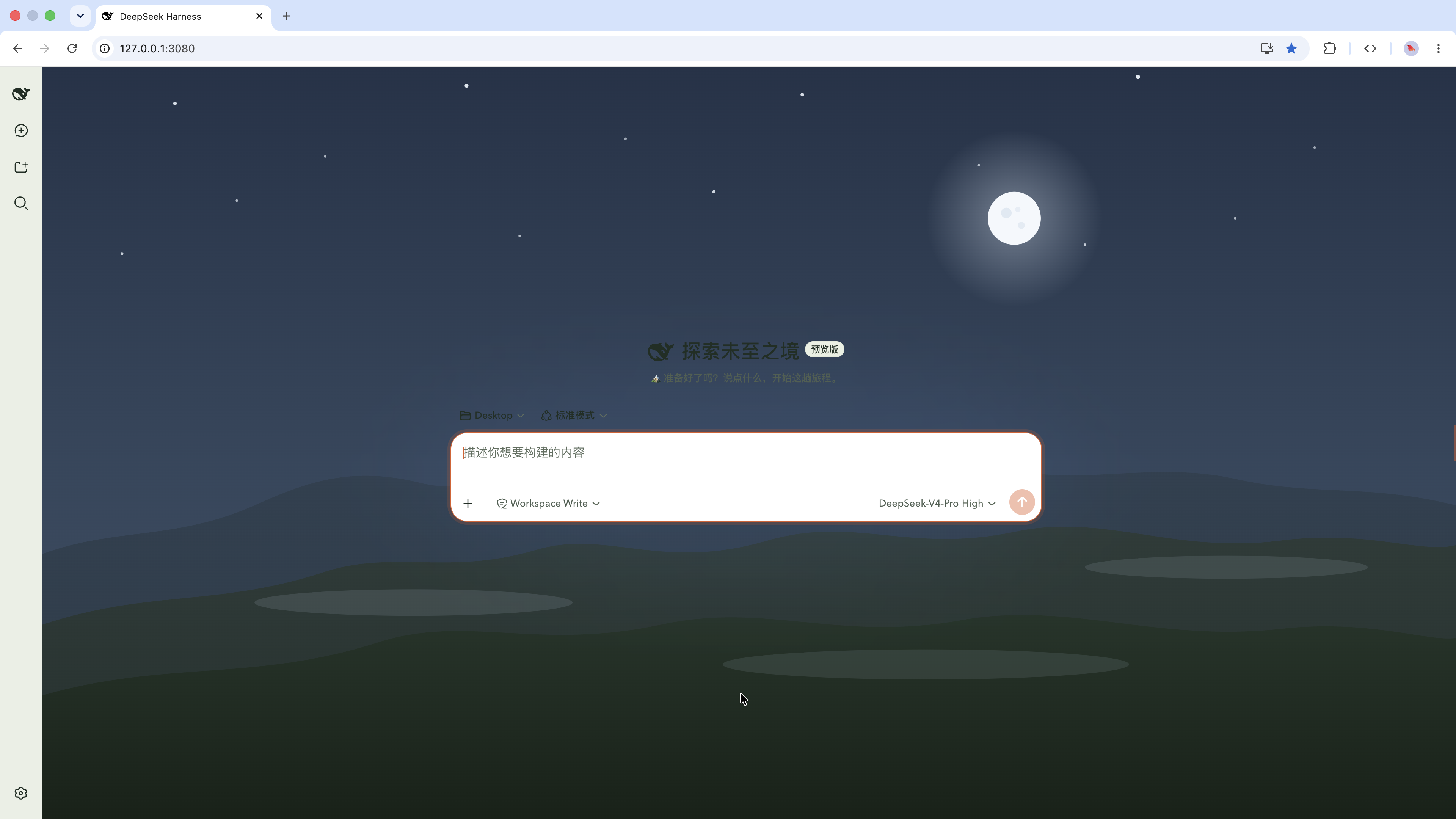
浅色模式 · 明月夜空(Light Mode · Moonrise)
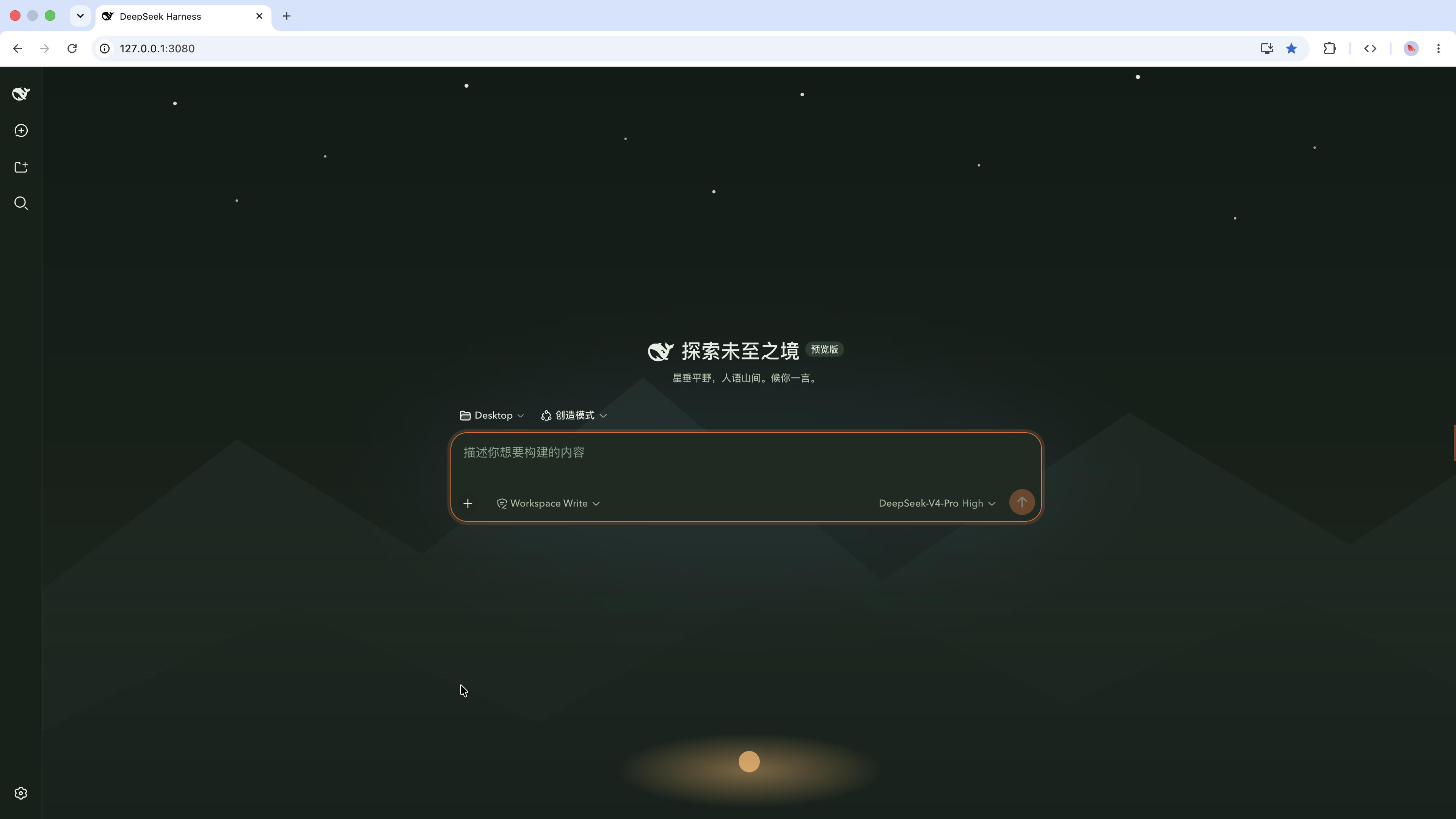
深色模式(Dark Mode)
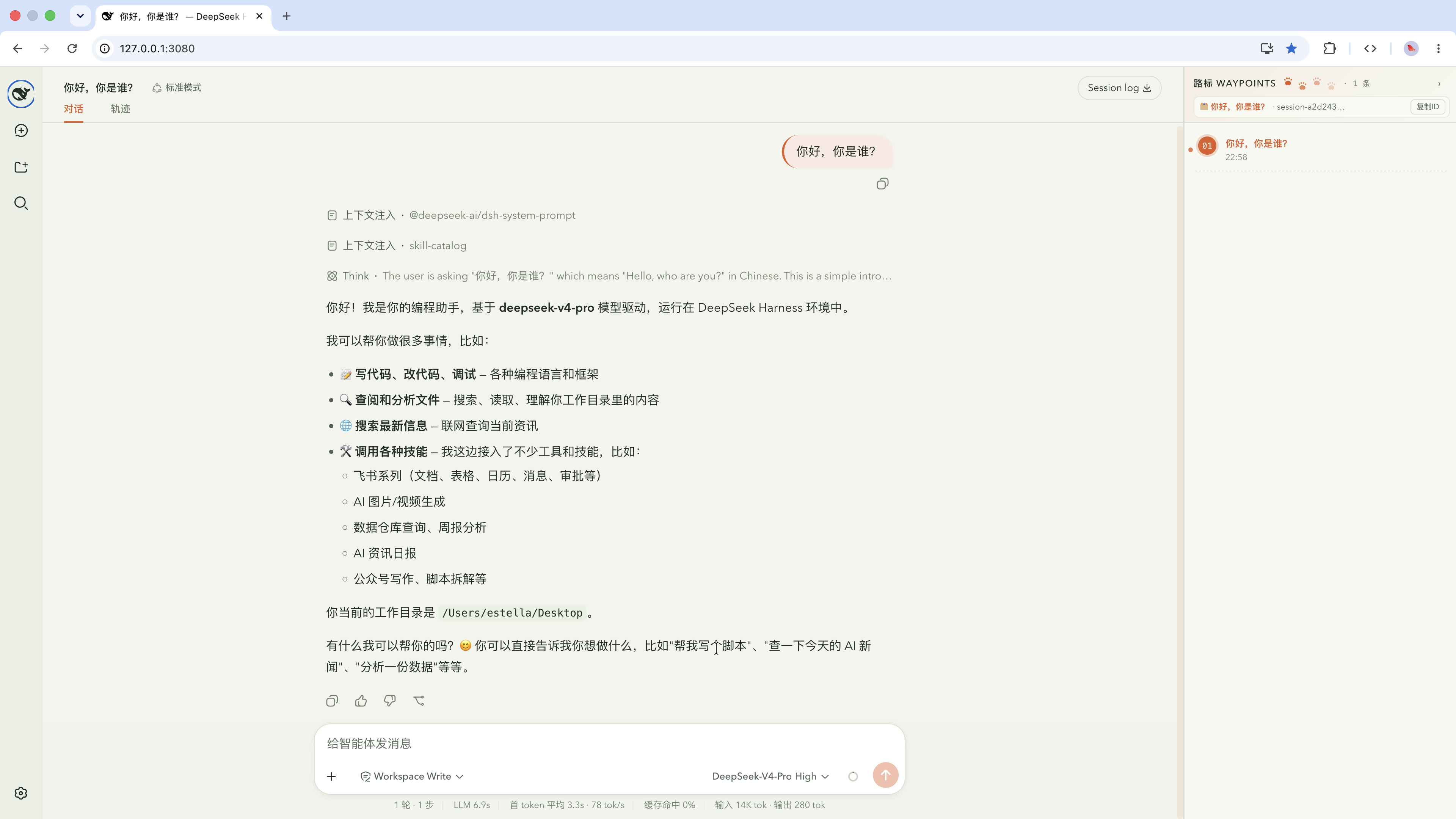
右边栏路标(Waypoints Panel)
展开路标(Expanded Waypoints)
设计理念(一句话版)
AI 是你的山野向导:会话列表是登山轨迹,工具调用是路标, 全界面唯一的信号橙像森林里的一束头灯光,其余保持安静的松绿苔灰。
- 配色:深松墨
#111A15· 苔绿#6B8F71· 晨雾白#E6EDE2· 岩纹灰绿 · 信号橙#E86A33(唯一高饱和) - 字体:标题/眉题用路标式窄体(Oswald),正文保持中文友好字体(PingFang/Avenir),代码用等宽
- 标志元素:信号橙路标点缀 + 侧边栏极淡等高线纹理(如地图)
- 刻意避开:奶油底+衬线+陶土橙 / 纯黑底+荧光绿 / 报纸细线——这三种 AI 默认脸
安装(GitHub 直装,零构建)
本插件是纯 JavaScript + CSS,没有编译步骤,因此 git 安装不需要任何 allowBuilds 授权,一条命令即可。
# 1. 确保有 pnpm(DSH 用 pnpm 管理 profile 插件)
corepack enable
# 或:npm install -g pnpm

# 2. 安装到 web profile
dsh plugin --profile web add github:Estellalee/dsh-outdoor-theme
装完后刷新浏览器页面即可看到皮肤。dsh plugin 会自动:
- 通过 pnpm 把本包装进 profile;
- 因本包声明了
dsh.bundle.patch,自动把它加入 profile 的dsh.profile.bundles层; - 生效时由 bundle 自己的
cordis.patch.yml声明宿主端插件行,无需手动改任何补丁文件。
也可以从本地目录安装:
git clone https://github.com/Estellalee/dsh-outdoor-theme.git
cd 到 dsh-outdoor-theme 的上一级目录
dsh plugin --profile web add ./dsh-outdoor-theme
卸载(一条命令,零残留)
dsh plugin --profile web remove dsh-outdoor-theme
依赖和 bundle 层一起移除,刷新页面即恢复默认皮肤。
自定义改色
打开对应的令牌 CSS 改任意 --dsw-* 色值:
| 文件 | 作用 |
|---|---|
outdoor-tokens.css | 山野向导令牌(亮/暗两套,唯一事实来源) |
outdoor-waypoints.css | 路标面板样式 |
outdoor-sun-moon.css | 太阳东升西落浅色空态背景 |
改完保存 → 刷新页面生效(皮肤 CSS 由宿主插件注入到首页 <head>,刷新即重新读取)。
文件结构
dsh-outdoor-theme/
├── package.json          ← 包清单(dsh.bundle.patch + dsh.client 声明)
├── cordis.patch.yml      ← bundle 插件层(声明 ui-outdoor-theme 宿主行)
├── lib/
│   ├── index.js          ← 宿主插件:注入 CSS + 注册 outdoor-skin 设置命名空间
│   └── client.js         ← 客户端插件:设置面板「皮肤」行 + 右侧路标面板
├── outdoor-tokens.css    ← 山野向导令牌(唯一事实来源,亮/暗两套)
├── outdoor-waypoints.css ← 路标面板样式
├── outdoor-sun-moon.css  ← 太阳东升西落浅色空态背景(由 scripts/ 生成)
├── screenshots/          ← 真实效果截图
├── scripts/              ← generate-sun-moon-css.mjs 生成脚本
└── README.md
工作原理
DSH 里一个「插件」是两个概念:
- bundle(本仓库):一个 npm 包,通过
dsh.bundle.patch指向cordis.patch.yml,声明自己的插件行;通过dsh.client声明浏览器端插件入口。 - profile(用户侧):
dsh --profile <name>启动的组合,由dsh.plugin命令维护其dsh.profile.bundles列表。
本 bundle 分两半:宿主端(lib/index.js)负责把令牌 CSS 注入首页 <head> 并注册持久化设置;客户端(lib/client.js)负责设置面板里的「皮肤」切换行和右侧「路标 · 工作进度」面板。两者都随 bundle 自动加载,用户只需一条 dsh plugin add。
License
🏔 DSH Outdoor Theme · Trail Guide
A hiking / mountain-wilderness reskin for the DeepSeek Harness (DSH) web UI. Pure-CSS theming plus a settings entry and a right-hand "Waypoints" progress panel — no interface logic is touched.
1 skin — Trail (山野向导) with light ("Morning Meadow") and dark ("Dusk Forest") palettes — switchable from Settings → 皮肤 (Skin), alongside the DSH default.
Screenshots
Light Mode · Sunset
Light Mode · Moonrise
Dark Mode
Waypoints Panel
Expanded Waypoints
Install (from GitHub, no build step)
This plugin is pure JavaScript + CSS — no compilation, so a git install needs no allowBuilds permission.
corepack enable                                  # ensure pnpm exists
dsh plugin --profile web add github:Estellalee/dsh-outdoor-theme
Refresh the browser page. dsh plugin installs the package via pnpm and, because it declares dsh.bundle.patch, adds it to the profile's dsh.profile.bundles automatically — no manual patch editing.
Uninstall
dsh plugin --profile web remove dsh-outdoor-theme


