
dsh-opencode-palette
UI & ExperienceFeatherHunter/dsh-opencode-palette
Theme plugin for DeepSeek Harness that applies 34 official opencode color schemes with one click, including tokyonight, dracula, gruvbox, matrix, and rose-pine, with persistence and typography settings.
- color-scheme
- customization
- dark-mode
- deepseek
- deepseek-harness
- developer-tools
- dsh
- dsh-plugin
- javascript
- npm
- open-source
- opencode
- opencode-plugin
- palette
- skins
- theme
- theme-engine
- themes
- typescript
- ui
Verification and compatibility
This section shows evidence collected by the catalog. Undeclared information is labeled as unknown.
- Current-version compatibility
- Verified on the catalog Harness version
- Declared Harness range
- Not declared
- Declared platforms
- Not declared
- Profiles
- web
- Build approval
- Unknown
- Permissions
- Not declared
- External services
- Not declared
- Telemetry
- Unknown
This is not a security endorsement. Review source, permissions, and configuration before installing.
View evidence and scope
Verification covers only the named source, version, and Harness environment. It does not guarantee future compatibility.
github:FeatherHunter/dsh-opencode-palette#11a3c01ff4e6cd22239e990fb8964d8421b04b01- The manifest and static structure passed checks; a runtime load check has not completed.
README
为长时间编程而生 —— 38 款护眼配色一键换上,眼睛舒服,码字开心。
Built for long coding sessions — 38 eye-friendly themes, one click.
你的 ⭐ 是我夜空中最亮的星。





每天盯屏幕十几个小时,眼睛难免发涩——换套温柔的配色,让眼睛歇一会儿。
OpenCode 的 37 套经典配色深受开发者喜爱,另有一个不碰颜色的原生外观:一键给整个 DSH 换上,深色护眼、浅色通透,白天黑夜各取所需。
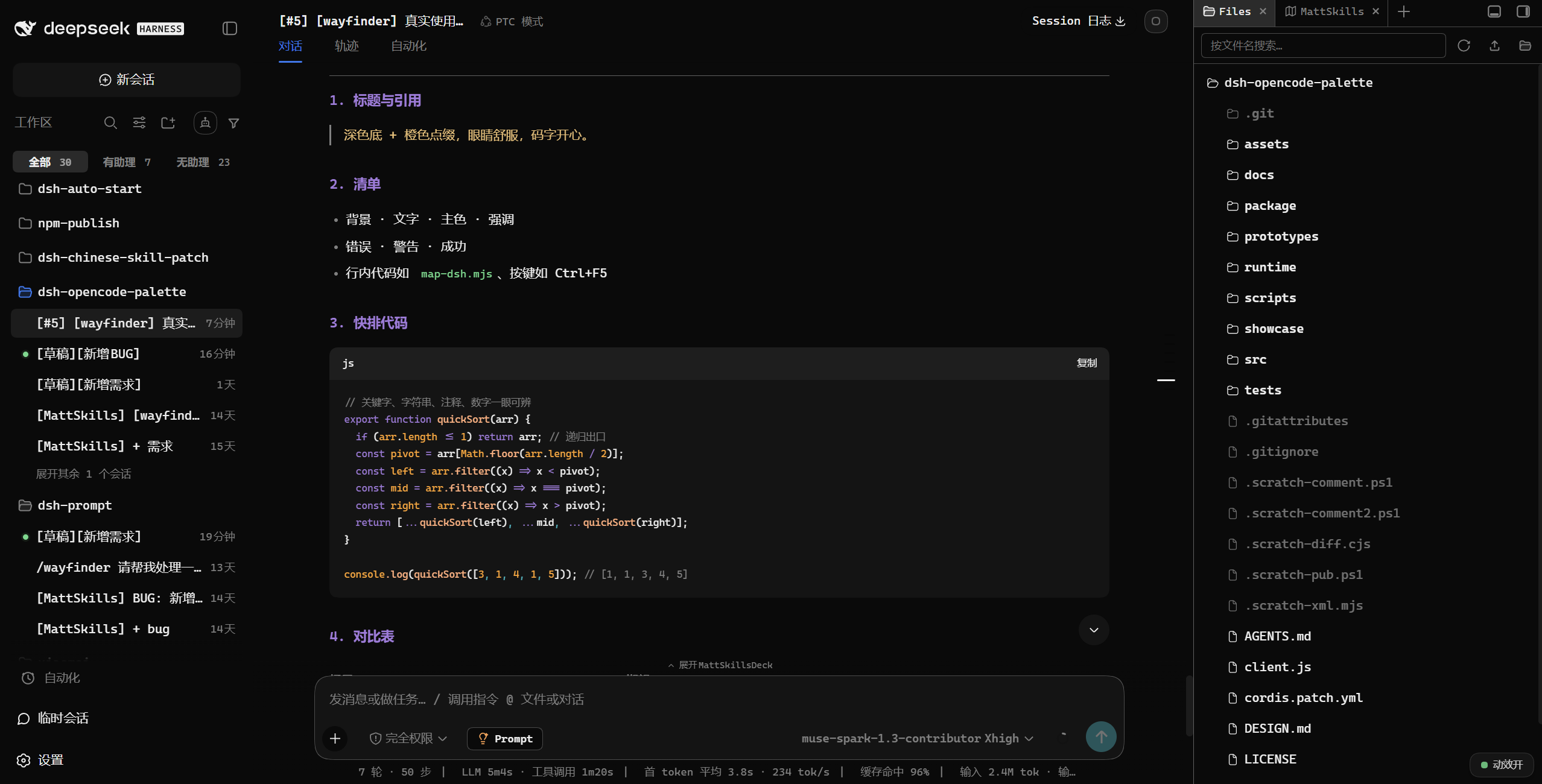
👇 装完重启后,主界面就是这个样子(opencode 主题)。
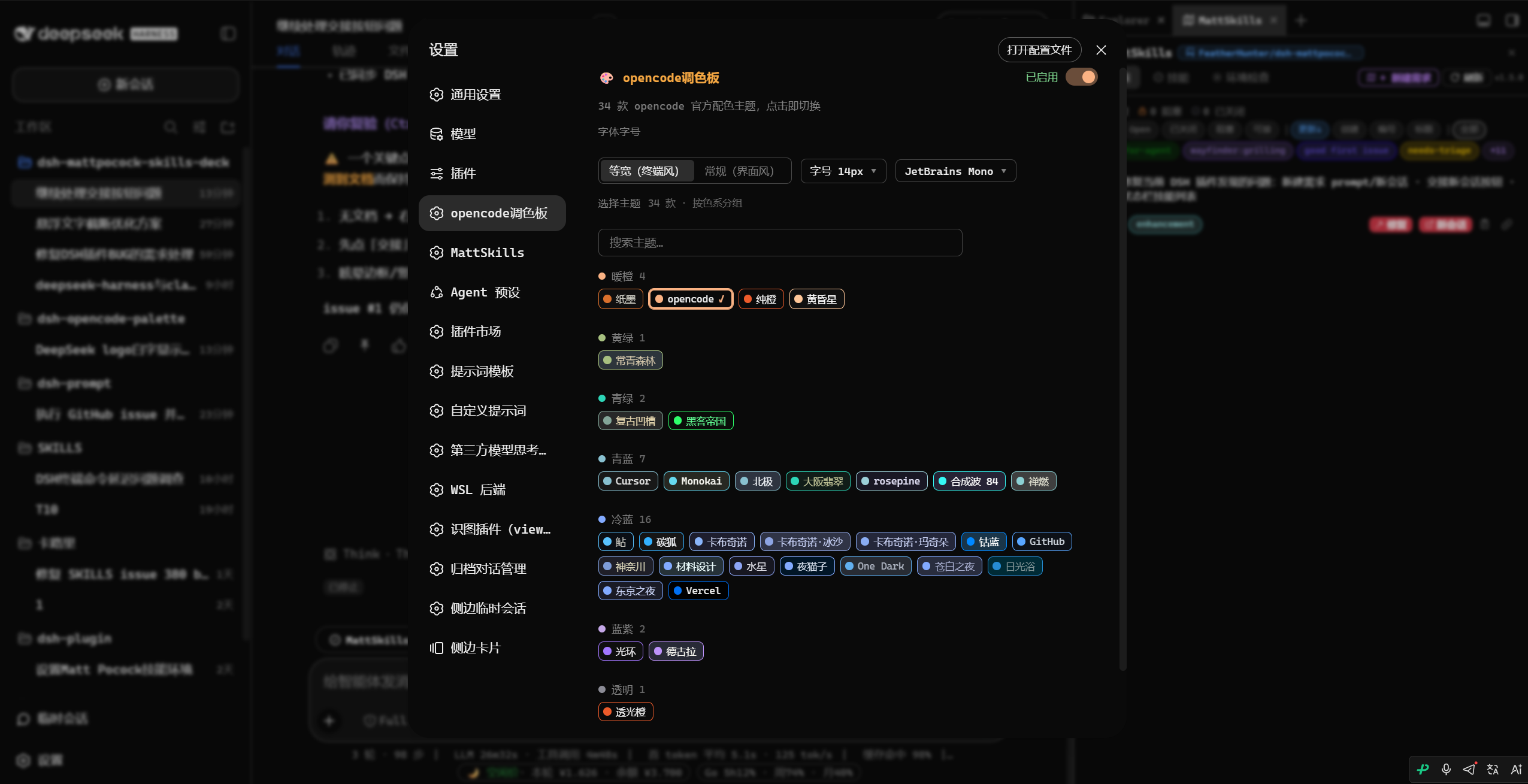
👇 设置面板:38 款按色系分组,搜一下即切。
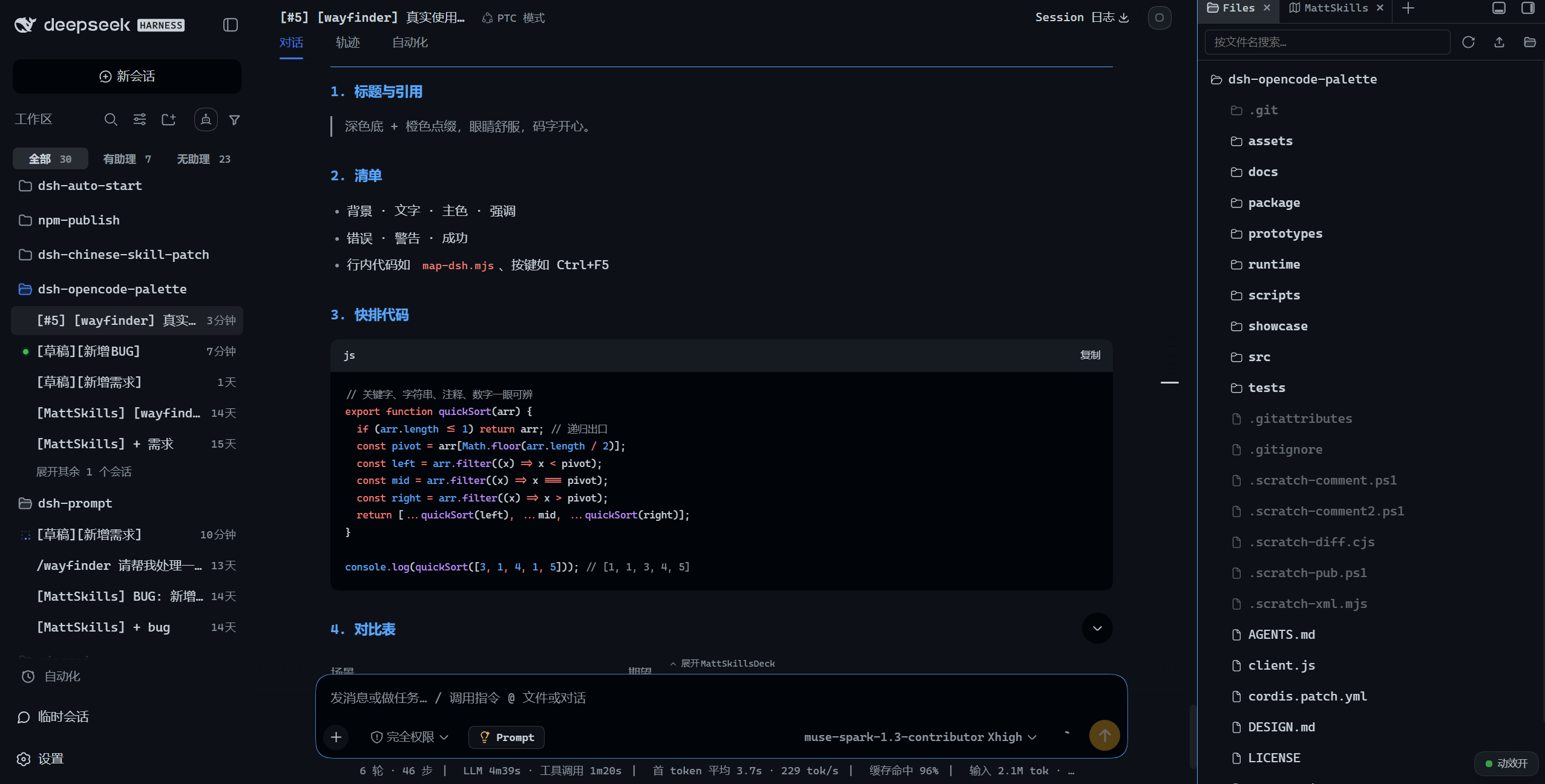
👇 另一款主题的观感。
# ① 还没装 DSH CLI 先装(已装跳过)
npm install -g @deepseek-ai/dsh

# ② 把插件装进你的 profile
dsh plugin --profile web add dsh-opencode-palette

# ③ 跑完重启 DSH(或刷新浏览器页面)
① 安装好本插件。
② 打开「OpenCode调色板」。 设置 → 插件 → OpenCode调色板
③ 挑选喜爱的主题。
38 个入口按色系分组,一搜即切。下图每一格都是一种配色。
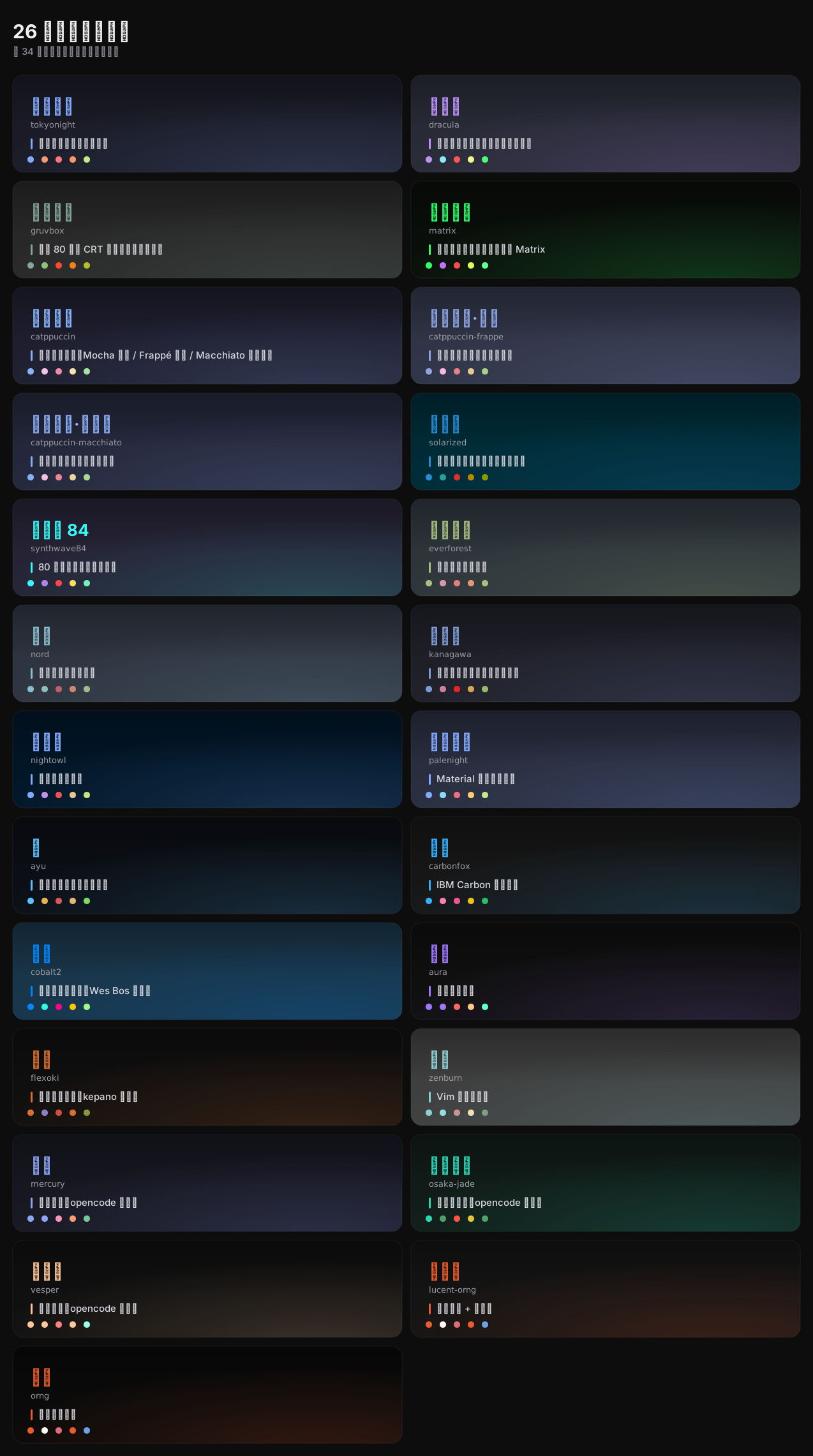
丰富的字体。 排印是独立维度:作用到全部文字或仅代码、字号 11–24 px、代码字体随你挑,与颜色互不干扰,重启不丢。
面板好找。 38 个入口按色系分组、搜索即切,并跟随 DSH 的界面语言(中文 / English)。
dsh plugin --profile web update dsh-opencode-palette
# 需要钉回历史版本:
dsh plugin --profile web add dsh-opencode-palette@<版本>
不想敲命令就点面板:「设置 → 插件 → OpenCode调色板」,标题行右侧的 检查更新 点一下才联网;有新版本按钮就地变成「有新版本 vX.Y.Z」,点开弹窗再点安装。重启 DSH 后生效——重启前面板顶部一直挂着横幅提醒。
喜欢这个插件的话,这些可能你也用得上:
dsh-prompt —— 写 Prompt 卡壳的时候,里面有 24 条深度模板,点一下直接进输入框
dsh-mattpocock-skills-deck —— 想让 AI 不只是会聊天?25 个工程技能装好即用,一条安装 Prompt 的事
dsh-im-companion —— 增强 dsh-im 插件和DSH工作区的能力,给你更优质的用户体验。
@oopsdoes — #46 提案不透明主题也跟随浅色宿主(#45 搁置的另一半)🌹、#55 揪出跟随系统写成深色 🌹
@the-beating-light-of-the-nail — #3 收录进 DSH Meme Hub 换皮肤专区,附取色考据 🌹
@xiSage — #11 要任意系统字体,点开即列本机字体 🌹
@Number444 — #12 要 Maple Mono NF CN 中英同宽 🌹
@anupamme — #32 指出主题下载缺一道校验 🌹
@SRKBob — #43 嫌白色刺眼,想要一份不扎眼的配色 🌹
遇到问题或有改进建议,欢迎直接 提交 Issue;也欢迎扫码添加作者飞书,备注 dsh-opencode-palette,一起交流。


