
seektty
UI & ExperienceHilbert-beinghappy/seektty
Pluggable DeepSeek-colored TUI for DeepSeek Harness.
- agentic-ai
- ai-agent
- cli
- coding-agent
- command-line
- deepseek
- deepseek-harness
- developer-tools
- dsh
- dsh-plugin
- linux
- llm
- macos
- seektty
- syntax-highlighting
- terminal
- terminal-ui
- tui
- typescript
- vscode-theme
Verification and compatibility
This section shows evidence collected by the catalog. Undeclared information is labeled as unknown.
- Current-version compatibility
- Verified on the catalog Harness version
- Declared Harness range
- Not declared
- Declared platforms
- Not declared
- Profiles
- tui
- Build approval
- Unknown
- Permissions
- Not declared
- External services
- Not declared
- Telemetry
- Unknown
This is not a security endorsement. Review source, permissions, and configuration before installing.
View evidence and scope
Verification covers only the named source, version, and Harness environment. It does not guarantee future compatibility.
github:Hilbert-beinghappy/seektty#94b937ef5f25e692a37c7aa089320221d3b18c8c- The manifest and static structure passed checks; a runtime load check has not completed.
README
Development compatibility: The current tested Host is official
0.1.5-rc.3. This checkout contains the adaptation; the publishedseektty@1.2.6release was verified with dsh0.1.5-rc.1. See the rc.3 verification record and original API migration.
Overview
Run deepseek from a project directory to use the native Agent, Session, model, permission, Settings, Profile, plugin, and persistence services of DeepSeek Harness in one terminal workspace. SeekTTY is the terminal surface; Harness remains the owner of runtime state.
Models, Providers, Agent Presets, permissions, commands, tools, Settings, Skills, MCP servers, and marketplace sources are discovered from the running Harness. Capabilities added by upstream or third-party Bundles therefore appear without being hard-coded into SeekTTY.
For requirements that still need definition, the optional Clarify Host plugin adds a guided /clarify workflow. It asks focused questions, updates a reviewable Draft after each answer, and returns the accepted Draft to the composer. Harness-native /plan can then turn the submitted requirement into an implementation plan.
Development checkout
To use this branch's dsh adaptation, build and install its local package from the repository root:
pnpm add --global --config.enable-global-virtual-store=false @deepseek-ai/dsh@0.1.5-rc.3
pnpm install --frozen-lockfile
pnpm run build
pnpm pack
dsh plugin --profile tui add --config.enable-global-virtual-store=false ./seektty-1.2.6.tgz
dsh --profile tui
The package version remains 1.2.6 until a new release is prepared. Use the local tarball for this adaptation; the npm package below is the previously published release.
Quick start
Install the published SeekTTY release on its verified official DeepSeek Harness 0.1.5-rc.1:
pnpm add --global --config.enable-global-virtual-store=false @deepseek-ai/dsh@0.1.5-rc.1

dsh plugin --profile tui add --config.enable-global-virtual-store=false seektty@1.2.6

dsh --profile tui
These commands install the prebuilt Bundle through native dsh plugin reconciliation. The per-command pnpm option avoids the pnpm 11 Global Virtual Store layout that the Cordis loader in the currently tested dsh releases cannot reliably load. SeekTTY never changes global pnpm configuration. Clarify and Auxiliary Runtime are optional, not default dependencies; their historical joint acceptance is listed under Compatibility.
The exact seektty@1.2.6 npm package is built from the reviewed package inputs documented in the release notes, the verification record, and the dsh 0.1.5-rc.1 adaptation record.
Bare deepseek launcher
After installing dsh, install the same SeekTTY release globally and pin Profile reconciliation to its exact npm version:
pnpm add --global --config.enable-global-virtual-store=false seektty@1.2.6
export SEEKTTY_SPEC=seektty@1.2.6
deepseek
PowerShell uses the same exact npm spec:
pnpm add --global --config.enable-global-virtual-store=false 'seektty@1.2.6'
$env:SEEKTTY_SPEC='seektty@1.2.6'
deepseek
deepseek requires dsh on PATH, or DSH_BIN pointing to its executable. Common launch forms include:
deepseek "check this project"
deepseek --cwd ../project
deepseek --resume
deepseek --resume <sessionId>
deepseek --profile team-tui
deepseek --version
deepseek --update
deepseek --update is self-first: it checks SeekTTY before dsh, installs at most one compatible component per run, and never installs an untested gap or future Host. DSH_BIN, local installs, and SEEKTTY_SPEC overrides are left unchanged. Update failures do not block startup. Set SEEKTTY_UPDATE=check for a post-session notice or SEEKTTY_UPDATE=0 to disable checks.
SeekTTY 1.2.6 brings the dsh 0.1.5-rc.1 native API adaptation, while retaining the Fastfetch-style welcome page, terminal-integrated backgrounds, TextMate highlighting, transcript and selection controls, and pnpm 11 installation compatibility. No Settings or Session migration is required.
What's new in 1.2.5
- Empty sessions open with a responsive DeepSeek pixel-whale welcome page and Profile runtime facts.
/welcomeconfigures custom rows, optional safe/trusted Fastfetch information, built-in/file/local-Fastfetch logos, mixed ordering, live preview, refresh, and reset without writing welcome content into Session history. - The canvas can inherit terminal transparency, blur, and background images through
theme,terminal, and backward-compatibleexplicitbackground modes. Overlay, panel, and ordinary code surfaces now follow the same inherited-background policy; contrast adaptation and terminal-color restoration keep text readable and terminal state recoverable. - Imported VS Code
tokenColorsare authoritative, built-in themes include detailed TextMate rules, and legacy themes receive a compatible fine-grained fallback. Highlighting is language-grammar aware while intentionally remaining visual rather than LSP-semantic. - Live and completed Thinking blocks can be folded without streaming reopening them; transcript hit rows are aligned, and collapsed tool cards now hide both parameters and results.
- Permission switching validates native Harness results and refreshes authoritative state. Model, reasoning effort, and Agent mode have independent click targets and selectors;
/effortprovides the keyboard path. - Wide overlays use available space for full option descriptions while preserving search, selection, scroll position, and pointer geometry across resize. Hover styling and transparent surfaces are consistent across nested controls.
- Launcher provisioning, compatible updates, and TUI plugin mutations disable pnpm 11 Global Virtual Store per command. Known
store/v11/linksloader failures receive precise, credential-redacted recovery without changing global pnpm configuration or bypassing native Profile reconciliation.
See the bilingual release notes for changes and the owner review checklist for verification limits and the publication procedure.
Interface
| DeepSeek light | DeepSeek dark |
|---|---|
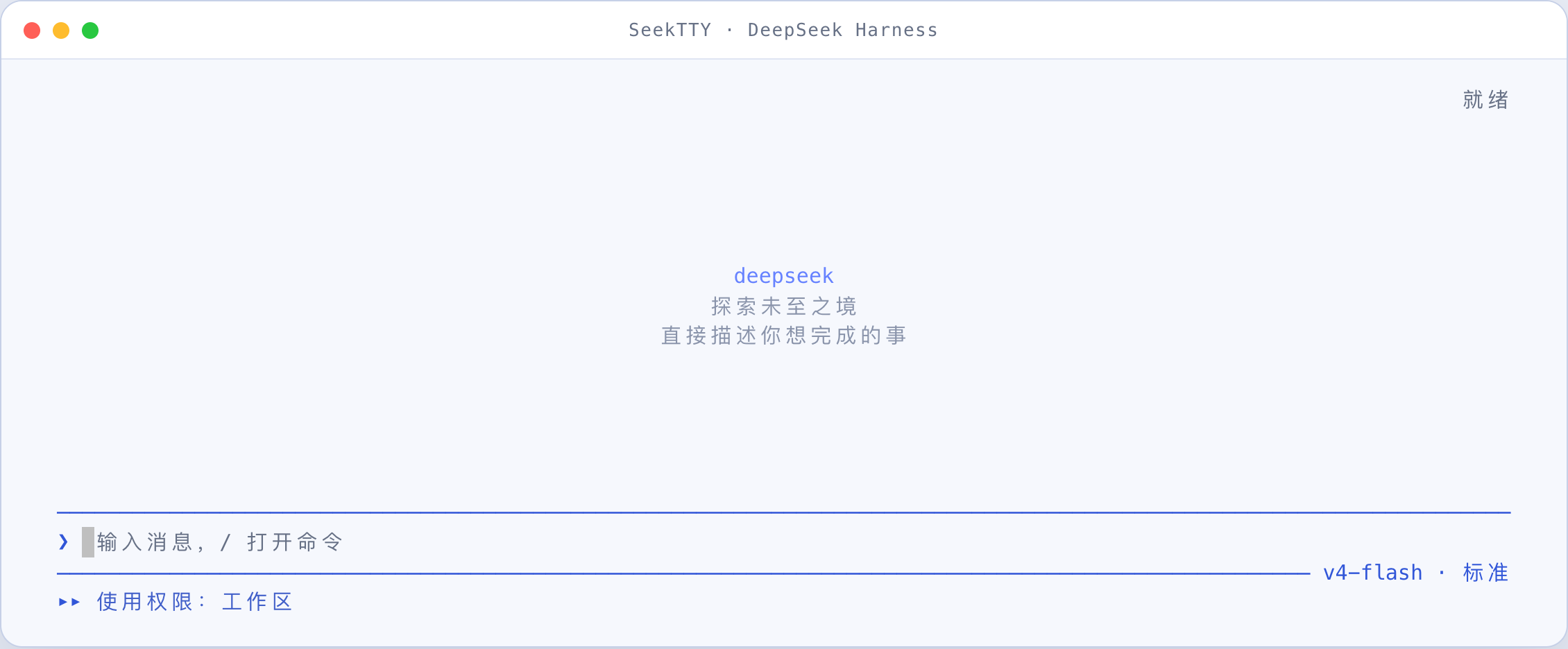 | 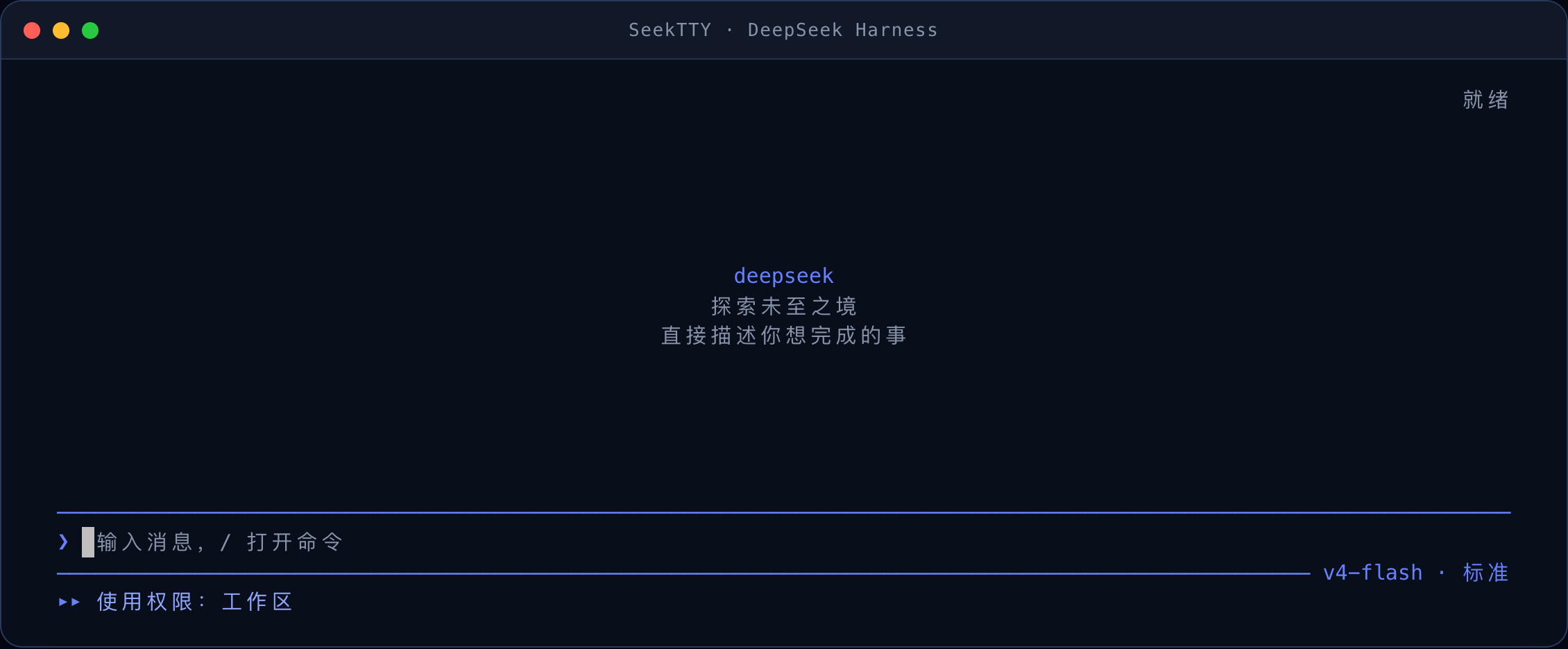 |
| TypeScript in the light interface | Tools, file reads, and Diff in the dark interface |
|---|---|
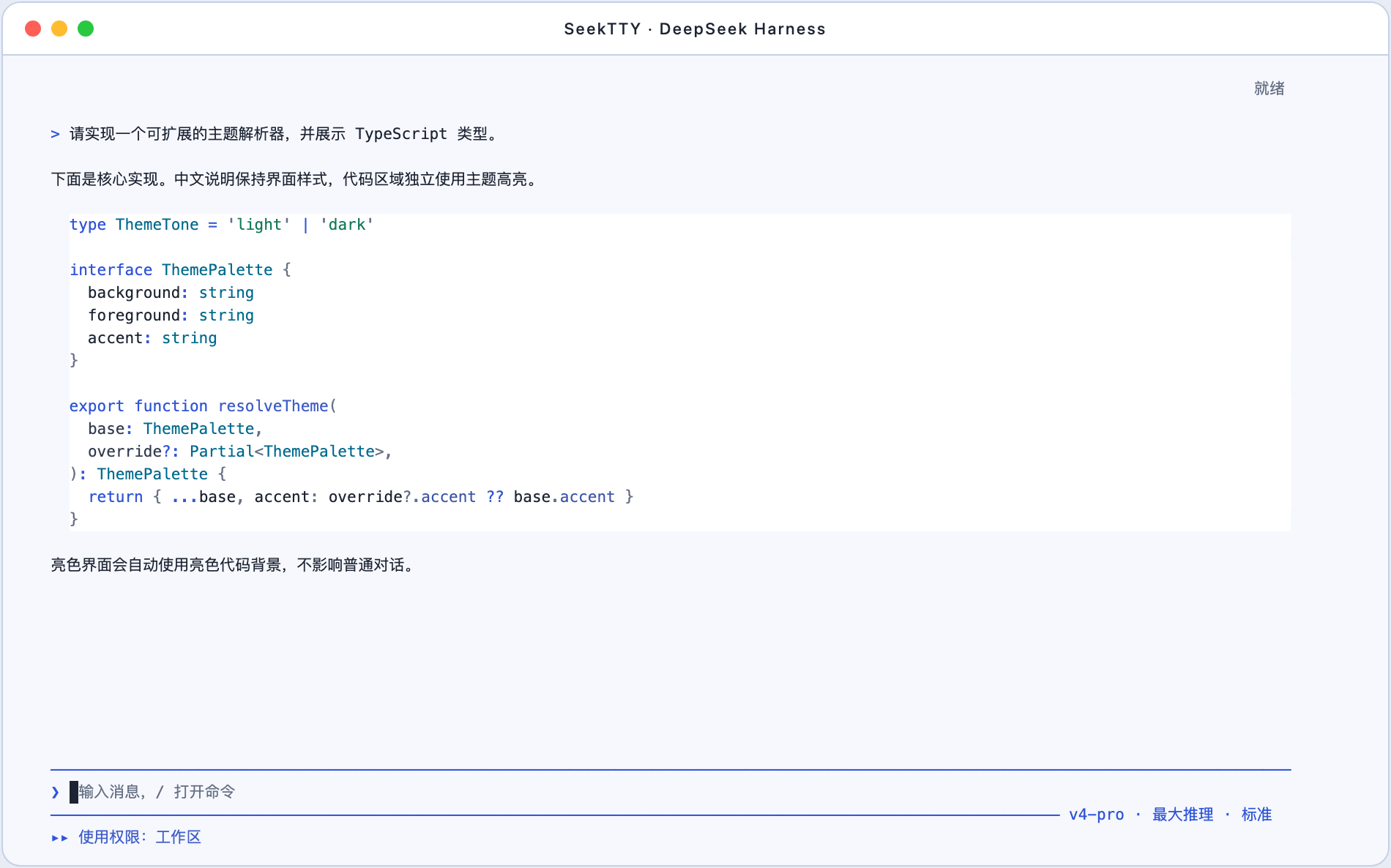 | 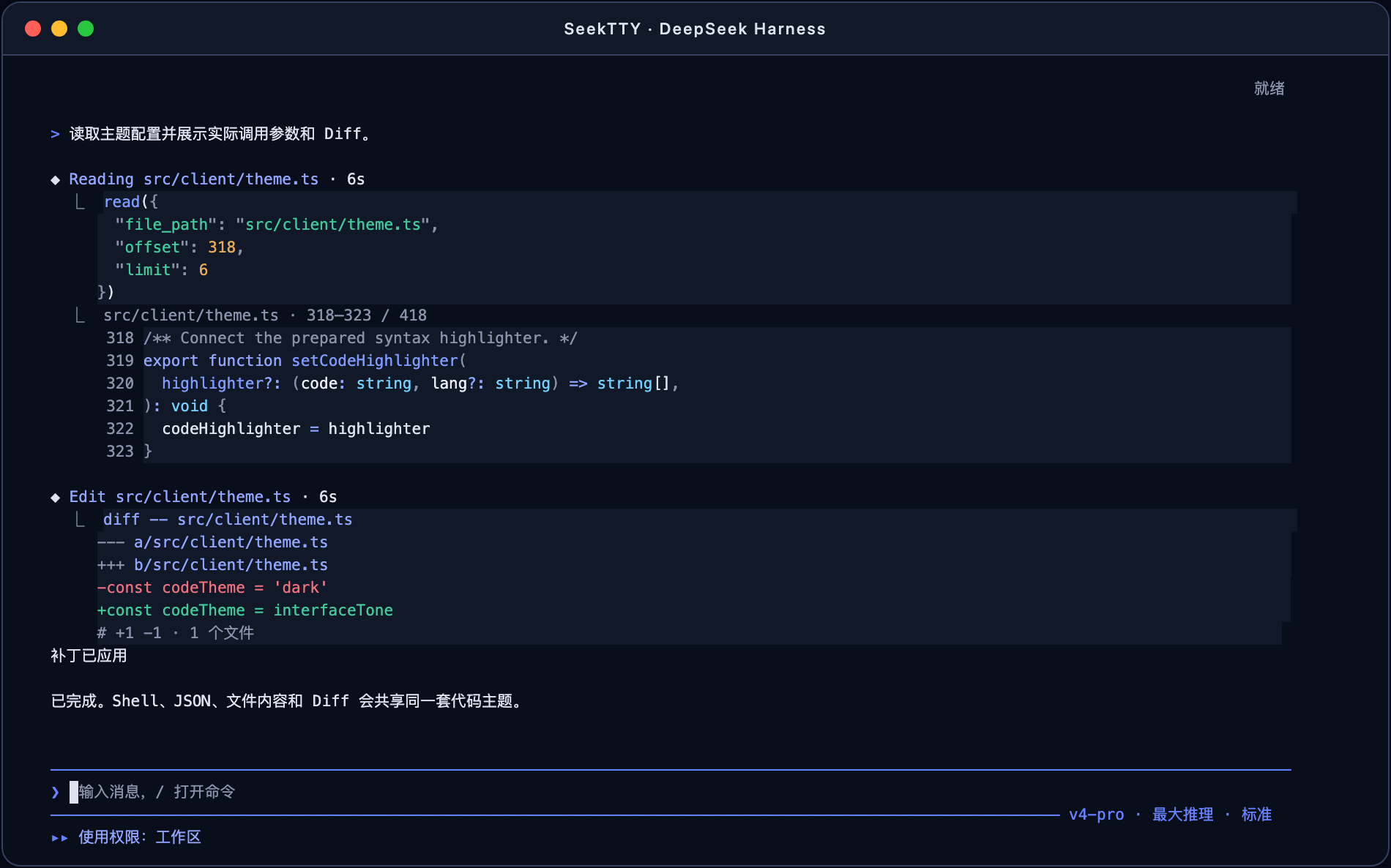 |
Full mode uses a fixed alternate-screen viewport and keeps the composer and status at the bottom. Its mouse support browses history, selects text, and clicks existing controls inside SeekTTY. F3 or /mouse native switches while idle to terminal-native mode: SeekTTY leaves the alternate screen, writes the complete loaded conversation to ordinary terminal scrollback, disables mouse reporting, and lets the terminal or tmux own scrolling, search, and selection. Backfill is sequential and reports progress; Esc stops it without stopping the Session, while Ctrl+L refreshes only the active tail. /transcript opens transcript browsing and /transcript replay explicitly writes the available conversation again. Images use a textual attachment row in native mode. Already-written history is not recolored or reflowed by SeekTTY; the terminal owns that history.
An empty session now opens with a responsive Fastfetch-style welcome page rather than sendable task suggestions. The default uses a packaged, original-color DeepSeek pixel whale plus runtime facts from the current Profile; it does not execute Fastfetch. The first-time API-key prompt remains higher priority and finishes before optional Fastfetch collection starts.
Clarify and Plan
Clarify and Plan cover consecutive stages of one workflow: Clarify helps decide what should be built; Harness-native Plan proposes how to build it.
| Component | Responsibility |
|---|---|
| SeekTTY | Detects the Clarify Remote, adds /clarify, renders the terminal interaction, supplies the active Session and draft, and returns an accepted Draft to the composer. |
| dsh-plugin-clarify | Owns the temporary clarification process and publishes start, answer, accept, refine, cancel, and fetchDraft over clarify.wire/1. |
| dsh-plugin-auxiliary-runtime | Runs Clarify model calls through the active model route with limits, cancellation, and a separate usage ledger. |
Start Clarify in any of these ways:
- Choose
/clarifyfrom the command palette to use the whole composer as the seed. - Type
/clarify some textto use its argument as the seed. - End an existing draft with a standalone
/clarifytoken or line to use the preceding text as the seed.
Clarify asks one focused question at a time, carries accepted decisions forward, and refreshes the Draft preview after every answer. You can answer, refine, accept, or cancel. Accepting only writes the Draft into the ordinary composer; Enter remains the explicit send action. Run /plan after submission when an implementation proposal is useful.
Questions, options, previews, and refine feedback remain in Host memory and become stale after 15 minutes without interaction by default. The main Session receives only the Draft you explicitly submit. Auxiliary usage is stored in the official storageDomain under auxiliary_runtime; prompts, answers, model output, credentials, and filesystem paths are excluded. /status displays validated Official, Auxiliary, and derived Combined totals without changing official Agent tokenUsage.
See Compatibility and verification for the accepted release stack and current candidate boundary.
Features
| Area | Available operations |
|---|---|
| Conversation | Streaming Markdown/GFM, syntax-highlighted code, links, tables, reasoning visibility, tool-card display modes, retries, compaction, cancellation, and error states |
| Sessions and workspaces | Create, resume, search, rename, fork, archive, reorder, copy, export, and switch workspaces without deleting project files or logs |
| Agents, models, and permissions | Dynamic Agent Presets, Providers, models, reasoning efforts, and permission presets with per-session switching and diagnostics |
| Queue and interaction | Queue or steer prompts during a run; edit queue entries; answer single-choice, multi-select, custom, skip, cancel, and plan-review prompts |
| Images | Paste or attach PNG, JPEG, GIF, or WebP; enforce live Host limits; restore pending attachments; render inline when the terminal supports it |
| Plan, Goal, Todo, and compaction | Native /plan, /goal, and /compact with plan review, goal state, Todo counts, and transcript records |
| Tools and files | Live tool duration, highlighted parameters and results, file reads with source line numbers, Shell/JSON/Diff views, produced-file browsing, path copy, and confirmed external open |
| Subagents and background work | Browse the owning root Session's nested Agent Tree, open child transcripts, and return with the parent viewport, draft, attachments, and tree state restored; lifecycle and continuation labels remain conservative when the Host lacks evidence |
| Profiles and Settings | Create, copy, switch, and diagnose Profiles; edit every registered Settings namespace with Schema fallbacks, revision checks, and write-only secrets |
| Plugins, Skills, and MCP | Plugin center, native Bundle reconciliation, dynamic Skill commands, MCP instances, load state, settings, and risk information |
| Themes and language | Independent interface/code themes, terminal background effects, palette generation, VS Code theme import, contrast checks, NO_COLOR, and live Chinese/English switching |
| Welcome page | Responsive DeepSeek pixel-whale terminal logo, custom rows, optional Fastfetch facts, live draft preview, and revision-protected Profile settings |
| Diagnostics and feedback | Runtime status, actionable /doctor checks, Session feedback, Assistant-message ratings, and feedback removal |
SeekTTY reads these catalogs from the active Harness Profile. Unsupported optional capabilities degrade safely while dedicated terminal views continue to evolve.
Permission changes use the native Host command and its execution result. The menu closes on success; failures remain visible in the menu for retry. Full-access and unknown presets still require confirmation, and a session switch invalidates an open permission selection. The command adapter supports the mounted two-argument legacy contract and the three-argument images contract of official dsh 0.1.1-rc.2; unknown contracts are rejected without retrying the command.
First-run API key setup
| Dark | Light |
|---|---|
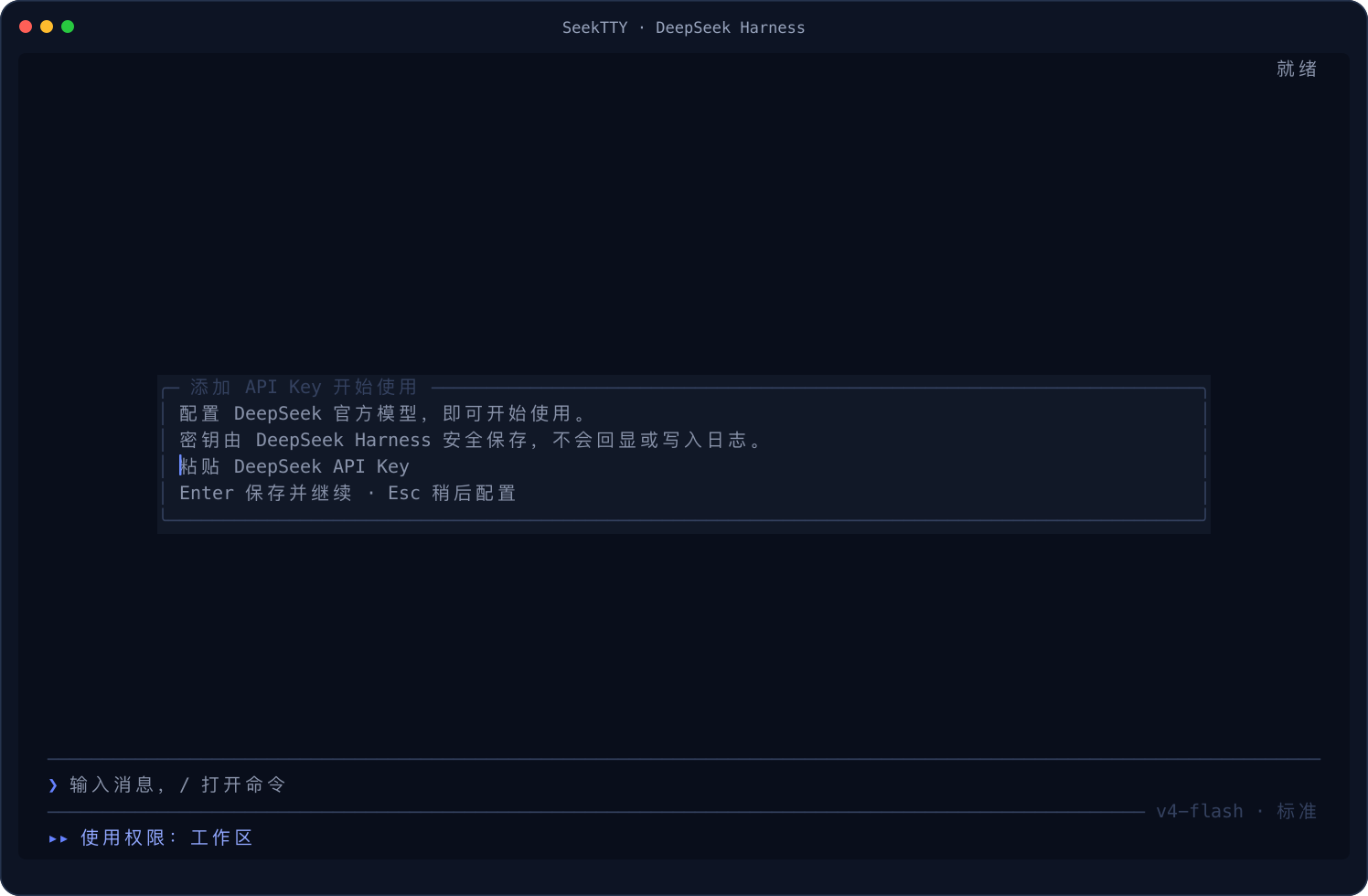 | 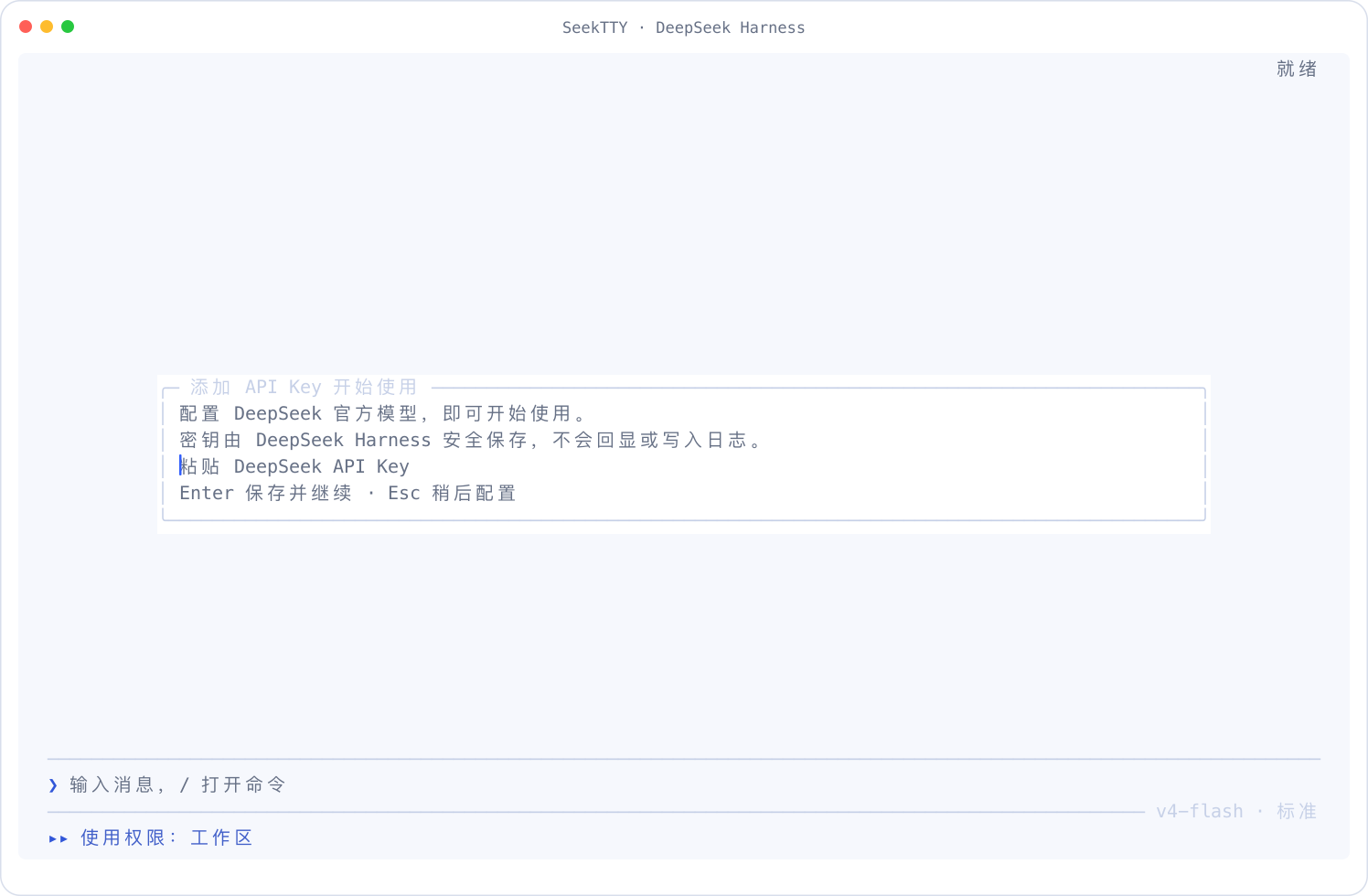 |
When the active Profile has no usable model Provider, SeekTTY offers the official DeepSeek quick setup, the shared Provider manager, or Configure later. Existing environment credentials, stored Harness credentials, and active ambient or keyless Providers skip it. After a generic Provider is saved, you explicitly choose the current Session model before the pending request continues.
Input is masked and passed directly to Harness credentials.set. SeekTTY does not read it back or put it in Settings, logs, screenshots, or Session data. Saving does not make a paid validation request; authentication errors follow the normal Provider path on the first real request.
Escape defers setup without blocking local surfaces such as /settings or /plugin. Pending text and attachments are preserved, and the request continues automatically after successful setup. If Provider state cannot be inspected, SeekTTY points to /settings and /doctor instead of showing an unusable form.
Provider management
Open Manage Providers… from /model, or from Models and Agent in /settings. Both entries and first-run setup use the same Harness-backed flow. It joins llm.providers, settings.describe, and value-free credentials.describe results; writes a revision-protected Settings mutation before an optional credentials.set; then re-reads Settings, credential metadata, llm.providers, and llm.models before reporting full success. A transport result that cannot be confirmed by readback is reported as unknown and is not blindly retried. Saving configuration never silently changes the current Session or the default for new Sessions.
The custom Provider path is the installed llm-pi-ai adapter's schema-described providers dictionary; route IDs follow that dictionary schema. This UI trims surrounding whitespace and excludes blank IDs, terminal-control characters, and SeekTTY's reserved menu ID. With official dsh 0.1.1-rc.2, its exposed protocol choices are OpenAI Chat Completions, OpenAI Responses, and Anthropic Messages. Add models manually for any protocol, or use llm.discoverModels where the installed adapter supports discovery. A successful model listing proves configuration discovery only; the first real request remains the authentication and inference check.
API keys are collected with a masked control and stored only through Harness Credentials. Credential Refs use the official [A-Za-z_][A-Za-z0-9_]* grammar. Read-only environment/file credentials are shown as externally managed, and key updates fail closed when metadata cannot be read. Any newly attached Ref receiving a new key must still be unconfigured and writable immediately before Settings is changed. A configured Ref can only be explicitly reused after its endpoint and Ref are shown; its value is neither read nor overwritten. Updating the key in the currently attached configured Ref is a key-only save and cannot be combined with other Settings changes. Changing an endpoint and key together always uses a different, unconfigured, writable Ref, so the Settings mutation switches to a Ref that cannot contain the old key before the new key is written. Settings and Credentials remain separate official calls, not an atomic transaction. Model edits preserve the complete schema-described model entry, including modalities, reasoning efforts, and compatibility switches.
Provider deletion is limited to a user-owned custom Settings entry that is neither the authoritative current Session route nor the default route, even when that current route is absent from the displayed model directory. References and ownership are re-read after confirmation, then the removed profile and current/default references are read again after mutation. The precheck and Settings mutation are not atomic: a concurrent selection can still create a reference in between, in which case SeekTTY reports the race instead of claiming fully verified deletion. Credentials are deliberately retained, and historical Sessions remain untouched. Saved Provider IDs cannot be renamed in place. Catalog Providers and proprietary authentication remain limited to capabilities actually described by the installed Harness adapter—this UI is not a protocol translator or a claim that every vendor-specific API has been certified.
Slash commands
Typing / opens a searchable menu that merges SeekTTY commands, Host commands for the active Agent, and user-invocable Skills.
| Category | Commands |
|---|---|
| Sessions | /new, /resume, /sessions, /rename, /fork, /archive, /export, /export md, /copy |
| Work environment | /workspace, /profile |
| Agent | /mode, /model, /permission, /plan, /goal, /compact |
| Runtime interaction | /queue, /steer, /attach, /attachments, /pending |
| Runtime content | /tools, /files, /jobs, /subagents, /trajectory |
| Extensions | /plugin, /plugins, /skills, /mcp |
| Plugin workflow | /clarify appears when a compatible Clarify Remote and Auxiliary Runtime are active |
| Configuration and diagnostics | /settings, /language, /theme, /welcome, /status, /doctor, /feedback, /restart |
| Help and exit | /help, /quit, /exit |
/plugin, /workspace, and /profile provide interactive centers and direct subcommands. Unknown commands stay inside the command surface and show nearby suggestions.
Autocomplete and overlay lists keep their scroll position: the wheel browses without moving the selection, clicking a visible row does not recenter it, and arrow keys scroll only when the selection crosses a visible edge. Hover is preview-only. The first click selects; a later click on the same armed item has no double-click deadline. Enter or a safe second click completes and runs a slash command once; Tab only completes it. File and path completions never auto-submit, and the scroll-position footer is not clickable.
Overlay footers have single-click Select/Confirm/Save and Back/Close buttons, with theme-aware hover. They share keyboard validation and navigation; dangerous confirmations remain keyboard-only. Ordinary mouse actions work immediately after startup without minimizing the terminal. Focus reports, when available, protect against accidental activation for 250 ms after refocusing.
Full-mode clipboard copy encodes text once as UTF-8. Windows uses a fixed PowerShell Set-Clipboard writer, macOS runs pbcopy under a UTF-8 locale, Wayland declares text/plain;charset=utf-8, and X11 requests UTF8_STRING; OSC 52 remains available for terminal, SSH, and tmux paths.
Settings center
/settings is organized by product intent instead of exposing a flat namespace/field index: Appearance, Welcome page, Mouse and scrolling, Input and shortcuts, Models and Agent, Permissions and security, Plugins and extensions, and Language and system. Existing Harness namespaces and persisted values are unchanged; /settings <namespace> remains available for direct compatibility access.
The Models and Agent category includes the shared Provider manager and the existing default-model selector. Unknown non-secret Settings fields remain available through the universal schema-backed editor; Provider management does not replace or hide unrelated llm-pi-ai fields.
Navigation follows one rule across the dedicated editors: list operations stay in their list, leaf changes return one level, Escape goes back exactly one level, and only Save/Cancel exits a draft transaction. Add, delete, and move operations retain the nearest useful focus. The Welcome Logo, Fastfetch settings, custom rows, and safe-module ordering all follow this rule.
Welcome page
/welcome opens one transactional editor for the empty-session presentation; /settings seektty-welcome opens the same editor. Changes stay in a draft until Save, then apply immediately under the Settings revision. Escape or Cancel all changes leaves the live page unchanged.
Information modes:
| Mode | Behavior |
|---|---|
custom (default) | Structured headings, text, fixed fields, runtime facts, separators, blank rows, and a theme palette; never runs Fastfetch |
fastfetch | Shows parsed output from a fastfetch executable already on PATH |
mixed | Shows both blocks in the configured custom-first or Fastfetch-first order |
The default runtime facts are SeekTTY version, workspace, model, reasoning effort, Agent mode, permission, and theme. Welcome rows are temporary UI state: they are not written to the Session or chat history, and disappear as soon as the Session has persistent conversation content. Tall welcome content uses transcript scrolling instead of being silently truncated. Resize and theme changes only reflow/recolor cached content.
The built-in large and compact assets are pre-generated terminal versions of the DeepSeek pixel whale from the MIT-licensed seek-on-dsh project; the pinned source revision and license are recorded in THIRD_PARTY_NOTICES.md. Original mode preserves its blue-and-white palette, while theme mode maps blue to brand and white to text. SeekTTY does not generate pixel art and does not use Kitty, iTerm, Sixel, or other image protocols. A user-provided UTF-8 terminal-text file can either preserve safely parsed ANSI colors or use Fastfetch-compatible $[1-9] foreground slots ($$ emits a literal $) mapped to the current SeekTTY theme. The fourth Logo source reuses the Logo rendered by the local Fastfetch configuration: SeekTTY forces an empty module structure, captures the Logo once, preserves its original ANSI colors, and sanitizes it before layout. This does not run Fastfetch information or command modules. Cursor movement, clearing, OSC/DCS, hyperlinks, clipboard commands, and image protocols are removed. Files and captured logos are limited to 256 KiB, 256 columns, and 120 rows; invalid or unavailable sources fall back to the built-in logo with one notice.
Fastfetch remains optional and is never installed or downloaded. The safe information source runs the existing executable directly without a shell, forces --config none, disables its logo and colors, and exposes an ordered privacy-conscious module list. The trusted user-config information source may run a Fastfetch command module or other external behavior, so enabling it requires an explicit warning confirmation. Logo-only reuse is independent of the information mode and uses the same optional Fastfetch config path (blank means its default config). All collectors have a 2-second timeout and bounded, control-sequence-sanitized output. Collection is cached once per process/configuration; /welcome refresh clears both information and Logo caches, while /welcome reset restores the non-Fastfetch default.
See the implementation and compatibility acceptance record for automated coverage and real-terminal boundaries.
Common controls
F1 → Keyboard shortcuts shows the current bindings grouped by purpose, including any /keymap overrides. Defaults:
Input and editing
| Input | Action |
|---|---|
| Enter / Shift+Enter | Submit or confirm; a selected slash candidate completes and runs once / insert a newline |
| Ctrl+Z (also Ctrl+-) | Undo edits in the focused input, including typing, paste, and selection replacement |
| Ctrl+R | Search composer history |
| Enter / Ctrl+Enter in a multiline overlay | Insert a newline / submit |
Undo is local to each input, including search and masked secret fields. It does not recall sent messages or reverse saved settings.
Commands and overlays
| Input | Action |
|---|---|
/ in the composer | Open command and Skill candidates |
| Up / Down | Move through candidates or list options |
| Tab with candidates open | Complete the selected candidate without submitting |
| Escape | Dismiss candidates, or return or close the active overlay |
| Space in a multi-select overlay | Toggle the current option |
| F1 / Ctrl+P | Open help / open the command palette |
| F2 / Ctrl+, / Cmd+, | Open Settings |
Transcript browsing
| Input | Action |
|---|---|
| Tab | Browse from an empty composer; return to the composer while browsing |
| Up / Down | Scroll or move card selection while browsing |
| PgUp / PgDn / Home / End | Page through the transcript, jump to the oldest content, or return to the latest |
| Shift+Left / Shift+Right | Jump to the previous or next user turn |
/, then Enter, then n / N | Find in the transcript, confirm the query, then visit the next / previous match |
| Escape | Leave Find, then card focus, then return to the composer |
| Ctrl+O / Ctrl+T | Cycle tool-card display / show or hide reasoning |
Sessions and running turns
| Input | Action |
|---|---|
| Ctrl+S | Open Session resume |
| Ctrl+M | Open model selection (requires an extended keyboard protocol; otherwise use /model) |
| Shift+Tab | Cycle permission presets, confirming full access first |
| Ctrl+C | Stop the active turn, clear a draft, or confirm exit with a second press |
Mouse and selection
| Input | Action |
|---|---|
F3 or /mouse toggle | Toggle full mouse mode and native terminal selection |
| Mouse wheel / trackpad | Browse the internal transcript without moving composer focus, draft, selection, or cursor |
| Ctrl+Shift+C | Copy the active in-app selection |
| Ctrl+X in a non-secret overlay input | Cut the selection |
| Backspace / Delete in an editable input | Delete the selection |
| Use terminal/tmux scrollback and selection | In terminal-native mode, use the terminal's ordinary scrolling, search, copy mode, and selection controls |
Full mouse mode also provides a resident scrollbar, in-app selection, copy-on-select, hover feedback, and target-aware clicks on cards, examples, candidates, overlays, and model/mode/permission controls. Dangerous confirmations still require Enter.
Transcript copying is semantic rather than a dump of terminal cells. Visual word wraps are rejoined with their original whitespace, while source newlines and code indentation are preserved. Renderer padding, code gutters and line numbers, quote/UI borders, scrollbars, background fills, and ANSI/OSC control sequences are excluded. Copy-on-select, Ctrl+Shift+C, and Copy selected text in the context menu all use the same payload with \n line endings; native terminal selection remains unchanged.
Modal pages support dragging over visible text to select and copy it. Search fields and non-secret inputs also support replacing a selection by typing, Backspace, or Delete; Ctrl+X cuts it. Their right-click menu provides Copy, Cut, Delete selection, Paste, and Select all. Ctrl+Shift+C copies the active page's selection; Ctrl+C keeps its interrupt behavior. Masked secrets are never exposed through clipboard actions.
Context menus float above the current page without joining its navigation stack. They resolve the object under the pointer instead of moving the list cursor or keyboard focus: Sessions, workspaces, Profiles, themes, welcome rows, Fastfetch modules, queued messages, plugins, files, jobs, subagents, cards, the Agent tree, MCP entries, Skills, status controls, and editable text expose their existing actions where applicable. Every root menu keeps Copy selected text and Close; Copy is disabled when no selection exists. Terminal-native mode remains available through F3 or /mouse, not as a context-menu action.
Object menus support one submenu level. Hovering a parent for 250 ms opens it; click, Enter, or Right opens immediately, while Left or Esc returns to the root. Targets and capabilities are revalidated before execution, stale rows cannot run actions, and Session rename, Fork, export, and archive operate on the right-clicked Session without temporarily switching the active Session. Destructive actions keep their existing confirmation flow and cannot bypass Enter-only confirmation pages.
Left-click outside or press Esc to dismiss only the menu; an outside right-click reopens it for the new target. Menu actions take one left-click, while the covered page keeps its draft and selection.
Wheel scrolling or a left-button drag dismisses the menu and immediately continues scrolling or selecting on the underlying page. A right-button drag opens the menu at the release position. An outside single-click only dismisses; it never activates a control underneath. Parent dialogs still capture input.
Themes and language
SeekTTY starts with its DeepSeek dark theme. /theme opens the theme center; direct forms include:
/theme dark
/theme light
/theme background [theme|terminal|explicit|foreground]
/theme colors [auto|rgb]
/theme fill [terminal|theme]
/theme sync [off|theme]
/theme code [auto|dark|light|<name>]
/theme use <name>
/theme edit [name]
/theme palette [name]
/theme import [name] [local-file]
/theme delete <name>
Interface and code themes remain independently selectable. A palette of 3–16 HEX/RGB colors can generate light and dark candidates. The built-in code themes provide fine-grained TextMate rules for common language, markup and data scopes. /theme import reads local VS Code JSON/JSONC themes, resolves relative include files, preserves portable TextMate colors, selector precedence and styles as the authoritative syntax rules, and activates the imported theme for both the interface and code after confirmation; compact SeekTTY role colors are used only for themes without tokenColors. Every customization path previews changes and flags low contrast before saving. Definitions live in the revision-protected seektty-appearance Harness Settings namespace.
Hover is a foreground-only interaction state derived from the active interface theme. It uses the theme's brand color without a background fill, underline, bold, reverse video, extra marker, required setting, or saved-palette mutation. Selection remains the stronger filled state; NO_COLOR remains respected.
Interface/code themes select palettes. Color rendering, Background fill, and Terminal background sync (advanced) are separate controls in /theme and /settings seektty-appearance, applied immediately after a revision-protected save. Defaults and existing saved appearances are unchanged; merely reading old settings does not migrate them.
| Control | Direct command | Behavior |
|---|---|---|
| Color rendering | /theme colors auto or /theme colors rgb | Detect RGB/256/16-color support, or send original theme RGB without application quantization/contrast adjustment |
| Background fill | /theme fill terminal or /theme fill theme | Inherit terminal effects, or paint full canvas/panel/code backgrounds including blank cells |
| Terminal background sync (advanced) | /theme sync off or /theme sync theme | Disable OSC 11, or attempt temporary theme synchronization on supported terminals |
For original colors and a theme-colored canvas, use /theme colors rgb and /theme fill theme. Theme fill uses SGR background colors, not OSC 11, and works with /theme sync off. It does not edit the terminal's configuration; actual colors and opacity still depend on the terminal or multiplexer. Inherit-terminal fill needs manually matched light/dark themes. NO_COLOR, TERM=dumb and non-interactive boundaries remain respected. Selection, special token backgrounds and logo pixels keep their explicit colors. Switching rendering or fill refreshes existing messages/code/welcome content without resetting the Session, draft, selection, copy content or viewport.
Legacy /theme background <preset> commands remain available and reset all three controls to their original combination; /theme background explicit remains a direct recovery command. With no arguments, /theme background opens the new fill editor. New commands without arguments open their respective editors. Legacy settings map as follows until independent overrides are saved:
backgroundMode | Canvas, panels and base code background | Terminal color |
|---|---|---|
theme (default, including older settings) | Terminal default background (SGR 49) | Temporarily synchronize the interface theme with OSC 11 |
terminal | Terminal default background (SGR 49) | Leave unchanged; restore the captured original if SeekTTY changed it |
explicit (compatibility) | Explicit canvas, panel and code-theme fills, as before | Keep the previous OSC 11 synchronization behavior |
foreground (experimental, manual opt-in) | Terminal default background (SGR 49), original theme RGB foregrounds | No queries or recoloring; restore only an original color owned by this run |
The foreground legacy preset is original RGB + inherited terminal background + sync off. Adding /theme fill theme keeps its successful RGB rendering while painting the background. There is no automatic fallback or guarantee of identical colors across terminals.
In theme and terminal, padded panel rows and the base background of inline, fenced, tool, file and diff code use the same terminal-default background semantics as the canvas. Code layout and syntax foregrounds are unchanged. Selection and explicitly authored TextMate token backgrounds remain colored islands; hover changes foreground only. In explicit, the previous canvas, panel and code fills remain available, although the terminal still decides whether explicit colors are opaque. Background mode belongs to Harness seektty-appearance settings, not theme files: theme switching, previews, import and export do not overwrite it.
With automatic color rendering and inherited fill, canvas text adapts to a known background that differs from the theme. If the background is unknown, it uses the terminal's default foreground instead of guessing black or white. Original RGB bypasses this adjustment. The theme menu refreshes its palette and independent control summaries after saving or returning from a child menu. These controls belong to Harness settings, never portable theme import/export files.
Color synchronization requires a supported truecolor terminal and a valid reply to one 500 ms asynchronous query. Unsupported or timed-out queries, NO_COLOR, limited colors, and tmux/screen do not recolor the terminal. In theme mode, an unavailable sync leaves the default background in place with one non-blocking notice, not an automatic RGB fallback. SEEKTTY_TERMINAL_BACKGROUND=off disables recoloring only; it does not change the selected mode. Exit restores the captured color. SeekTTY does not read/set opacity, edit terminal configuration, or alter window decorations. See compatibility and current acceptance results.
Use /language or a direct command to switch the terminal copy live:
/language auto
/language zh
/language en
The explicit preference is stored by the official locale plugin as locale.preference and shared with Harness Web. auto removes the override and follows the terminal locale. Switching changes SeekTTY chrome and transcript presentation without rewriting model, tool, user, Provider, or plugin-authored content.
Plugin center
/plugin opens the active Profile's plugin center; /plugins is an alias. Direct subcommands include list, search, info, install, remove, update, reorder, source, and doctor.
- Search npm by default, add JSON/HTTP catalogs, or use sources registered by other Bundles.
- Install npm names, Git URLs, tarballs, file URLs, and local directories.
- Preflight
dsh.bundle.patch, packed files, install specs, build scripts, and the target Profile. - Restart after a mutation while restoring the workspace, Session, draft, and attachments.
- Inspect versions, sources, publishers, Bundle order, load state, and actionable diagnostics.
TUI /plugin and native dsh plugin reconcile the same Profile dependencies, Bundle order, and pnpm lockfile.
Migration and removal
Replace the former deepseek-tui global package once:
pnpm remove --global --config.enable-global-virtual-store=false deepseek-tui
pnpm add --global --config.enable-global-virtual-store=false seektty@1.2.6
export SEEKTTY_SPEC=seektty@1.2.6
deepseek
Custom Profiles migrate independently on first launch. Native dsh-only installations can replace the Bundle explicitly:
dsh plugin --profile tui remove --config.enable-global-virtual-store=false deepseek-tui
dsh plugin --profile tui add --config.enable-global-virtual-store=false seektty@1.2.6
To remove both the Profile Bundle and the optional global launcher while leaving the dsh installation untouched:
dsh plugin --profile tui remove --config.enable-global-virtual-store=false seektty
pnpm remove --global --config.enable-global-virtual-store=false seektty
Compatibility and verification
The current tested Host is official 0.1.5-rc.3. The rc.3 adaptation record documents that version's validation. Published release evidence is listed separately below.
| Boundary | Version |
|---|---|
| Node.js | `^22.19.0 |
| Declared minimum Harness Host | 0.1.5-rc.1 |
| Current tested Harness Host | 0.1.5-rc.3 |
| pnpm 11 layout adapter | pnpm 11.7.0; dsh 0.1.5-rc.3; GVS disabled per mutation |
| Last jointly accepted Clarify release stack | dsh 0.1.0-rc.8 + SeekTTY 1.2.0 + Auxiliary Runtime 0.1.0 + Clarify 0.2.1 |
| Current release | SeekTTY 1.2.6 on official dsh 0.1.5-rc.1; native API adaptation and prior terminal, highlighting, interaction, and pnpm-layout changes are included |
Hosts older than the declared minimum are rejected. Newer-than-tested Hosts may boot with a notice, but automatic updates install only an explicitly compatible range. The published Bundle does not install Cordis or identity-bearing @deepseek-ai/dsh-* packages into a Profile: optional peers describe the Host contract, and runtime imports resolve through the official Harness installation. The attachment compatibility adapter handles only the exact tested legacy image-limit shape and fails closed for unknown shapes.
pnpm 11 Global Virtual Store compatibility
pnpm 11 can place global packages below store/v11/links. With the tested dsh/Cordis loader, that layout can fail before SeekTTY starts with messages such as plugin tree failed to load and cordis:include. Until an upstream dsh release passes the positive GVS lifecycle gate, SeekTTY applies --config.enable-global-virtual-store=false only to package-tree mutations it starts: launcher provisioning, compatible self-updates, and TUI /plugin install, update, remove, and reconciliation. Read-only pnpm commands are unchanged.
This adapter does not run pnpm config set, set NODE_PATH, copy Host packages, or edit Profile manifests outside native dsh reconciliation. If a failed launcher is visibly installed below store/v11/links, it prints a cautious bilingual diagnosis and exact per-command recovery commands rather than reporting a missing SeekTTY dependency.
See the bilingual pnpm 11 layout acceptance record for the gate contract, current local evidence, and the adapter exit condition.
The exact rc.3 package, local checks, and official dsh lifecycle are recorded in the rc.3 adaptation record. The 1.2.6 release record and earlier optional-plugin observations, including Clarify and Vision-Exp, remain historical evidence. Local Windows results do not replace the Linux/macOS CI matrix or manual GUI mouse and clipboard checks.
Reusable checks:
pnpm run check

DSH_BIN=/path/to/dsh \
SEEKTTY_SPEC=/path/to/seektty.tgz \
pnpm test:stock

pnpm test:pnpm11-layout false /path/to/candidate-directory
pnpm test:pnpm11-layout true /path/to/candidate-directory

DSH_BIN=/path/to/dsh \
SEEKTTY_SPEC=/path/to/seektty.tgz \
SEEKTTY_MOUSE_PTY=1 \
pnpm test:mouse-pty

CLARIFY_SPEC=/path/to/dsh-plugin-clarify.tgz \
pnpm test:clarify-doctor
The development adaptation has not been published to the npm Registry; use the local-package installation above.


