
dsh-feishu-notifier
Integrationsblooming-fang/dsh-feishu-notifier
Sends Feishu (Lark) bot notifications when the agent requests user approval, asks questions, confirms plans, or ends a turn, with persistent webhook configuration.
- deepdeepseek
- deepseek-harness
- dsh
- dsh-plugin
- feishu-webhook
README
dsh-feishu-notifier
一个 DeepSeek Harness Bundle:当智能体请求用户批准、等待用户回答问题或确认计划,以及一轮对话结束时,向飞书机器人发送文本通知。
使用要求
- DeepSeek Harness
0.1.0-rc.5或兼容版本。 - Node.js
22.19+。 - 在 Web 设置中配置飞书自定义机器人 Webhook。
本地开发
pnpm install
pnpm run build
pnpm pack:check
构建会生成:
lib/index.js:Node/Cordis Loader 入口;lib/client.js:Web 浏览器插件入口。
从 npm 安装
将插件发布到 npm 后,用户可以直接使用以下命令安装到 web Profile:
dsh plugin --profile web add dsh-feishu-notifier
dsh --profile web
如果使用源码方式运行 DeepSeek Harness,则将 dsh 替换为 pnpm dsh:
pnpm dsh plugin --profile web add dsh-feishu-notifier
pnpm dsh --profile web
启动后打开:
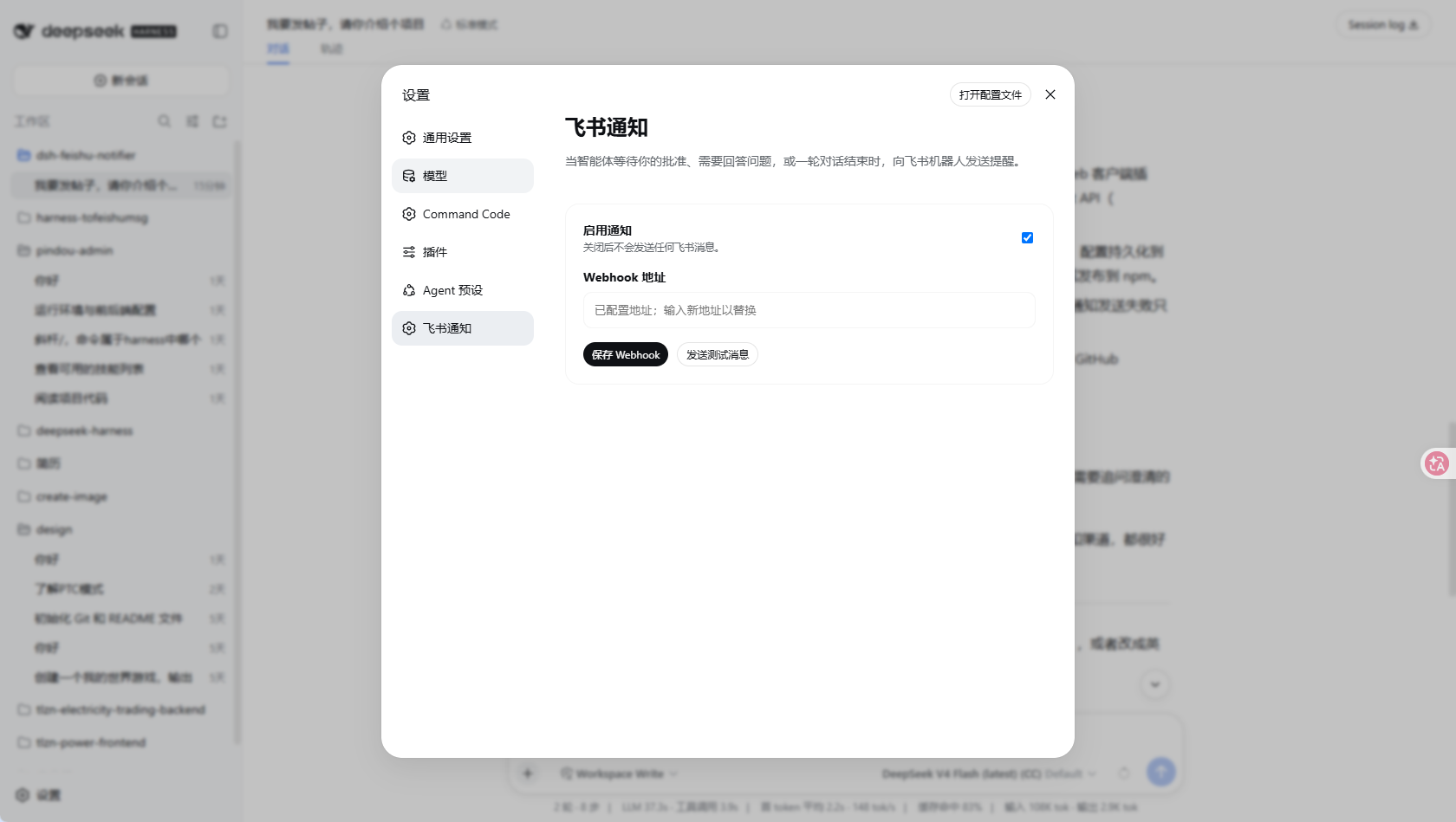
设置 → 飞书通知
填写飞书机器人 Webhook,点击“保存 Webhook”,然后点击“发送测试消息”验证连接。配置会通过插件自己的 Host API 持久化到 DSH 的 settings.yaml,通常位于 C:\Users\<用户名>\.dsh\settings.yaml。真实 Webhook 不会包含在 npm 包中,每位用户都需要配置自己的地址。
从 GitHub 安装
建议使用 release tag 或 commit SHA,确保安装内容可复现:
pnpm dsh plugin --profile demo add github:blooming-fang/dsh-feishu-notifier
从 GitHub 安装时会执行 prepare 构建插件。只应安装可信仓库中的代码;pnpm 可能要求在 Profile 的 workspace 配置中加入 allowBuilds 授权。
通知事件
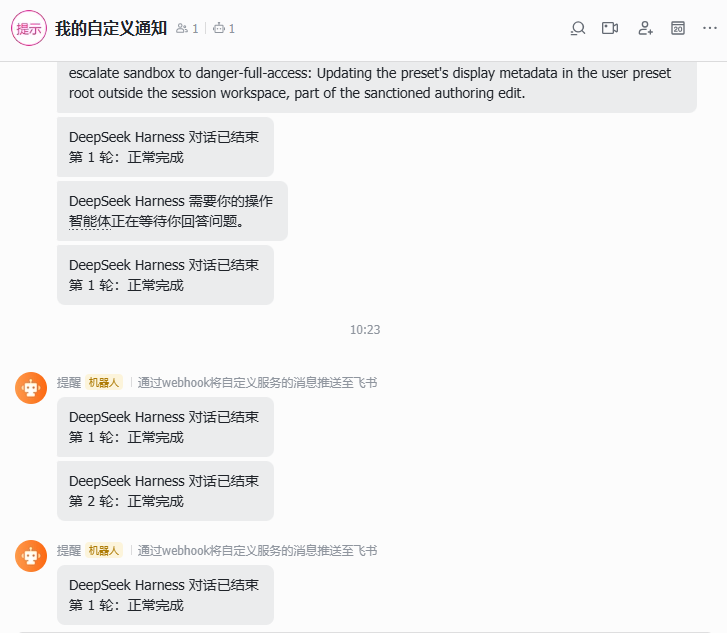
插件会发送以下通知:
- 用户审批请求;
ask_user_question用户问题请求;exit_plan_mode计划确认请求;turn/end对话轮次结束事件,并将完成、错误、取消和中断原因转换为可读文本。
Webhook 属于敏感设置,保存后不会返回给浏览器。不要把真实 Webhook 地址提交到 GitHub 或发布到 npm。