
touhou-hakurei
UI & Experiencexiake595/touhou-hakurei
Touhou Project themed skin for DeepSeek Harness Web GUI, featuring Hakurei Shrine day/night backgrounds, Reimu character art, and shrine-style UI decorations.
- anime
- deepseek-harness
- dsh
- dsh-plugin
- dsh-skin
- skin
- touhou
Verification and compatibility
This section shows evidence collected by the catalog. Undeclared information is labeled as unknown.
- Current-version compatibility
- Verified on the catalog Harness version
- Declared Harness range
- Not declared
- Declared platforms
- Not declared
- Profiles
- web
- Build approval
- Unknown
- Permissions
- Not declared
- External services
- Not declared
- Telemetry
- Unknown
This is not a security endorsement. Review source, permissions, and configuration before installing.
View evidence and scope
Verification covers only the named source, version, and Harness environment. It does not guarantee future compatibility.
github:xiake595/touhou-hakurei#dae71e3b063f2051c590abbabaa1462cf2cd54ea- The manifest and static structure passed checks; a runtime load check has not completed.
README
touhou-hakurei · 灵梦美化包:博丽神社(东方Project 主题皮肤)
DeepSeek Harness Web GUI 的东方Project 博丽神社主题皮肤:博丽神社昼夜实景背景、
灵梦左右立绘、朱红/纸白/金色的神社装饰界面。纯展示层客户端插件 —— apply()
设置 data-dsh-hakurei 作用域、按亮/暗主题切换神社背景、以独立透明层挂载灵梦
角色、装饰可折叠侧栏,并为加载/思考/工具运行状态预留稳定动画钩子。effect 销毁器
还原全部 CSS/DOM 写入;不注入服务、不发出 Cordis 事件、不触达模型请求。
预览
| 亮色主题 | 暗色主题 |
|---|---|
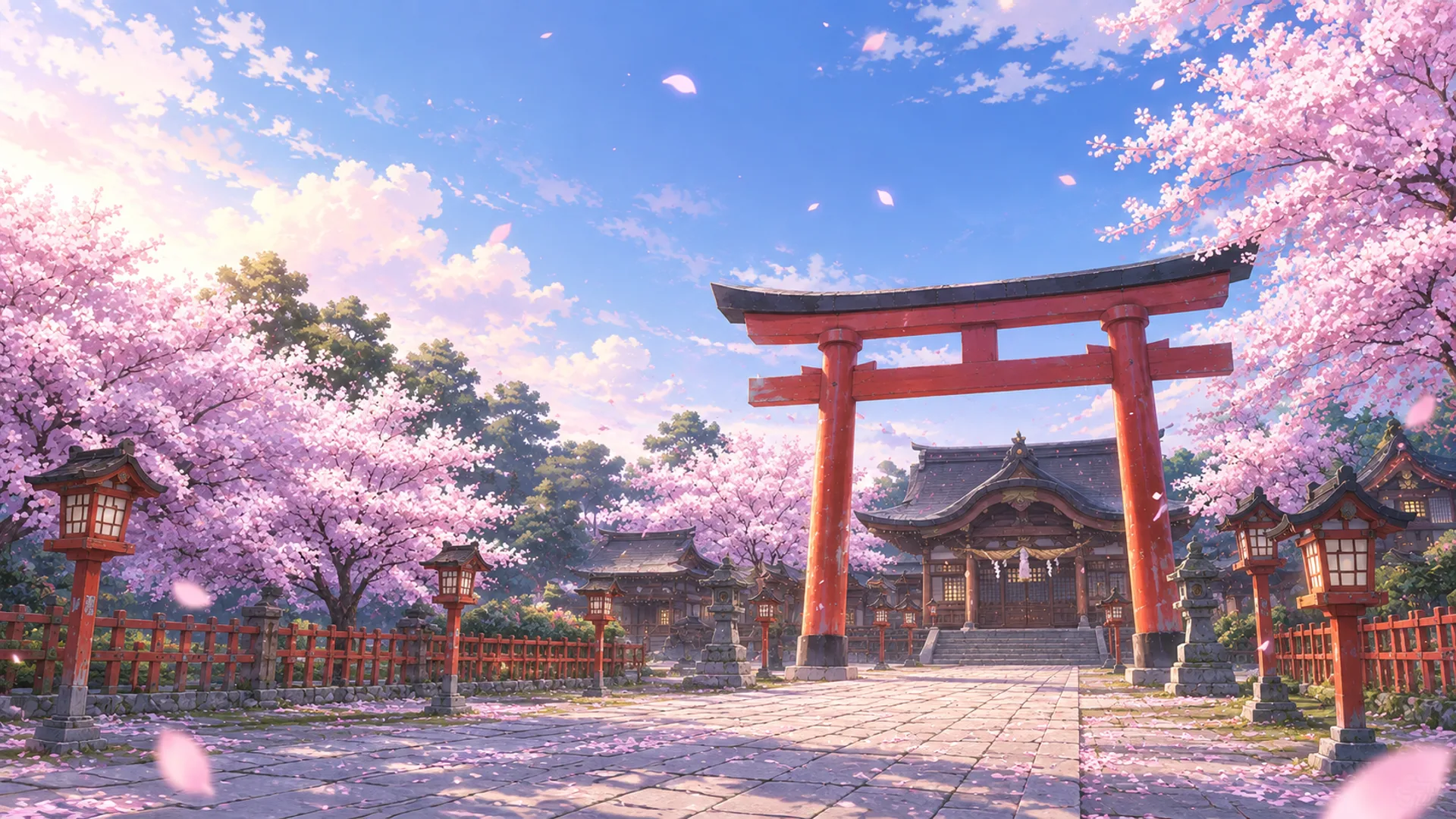 | 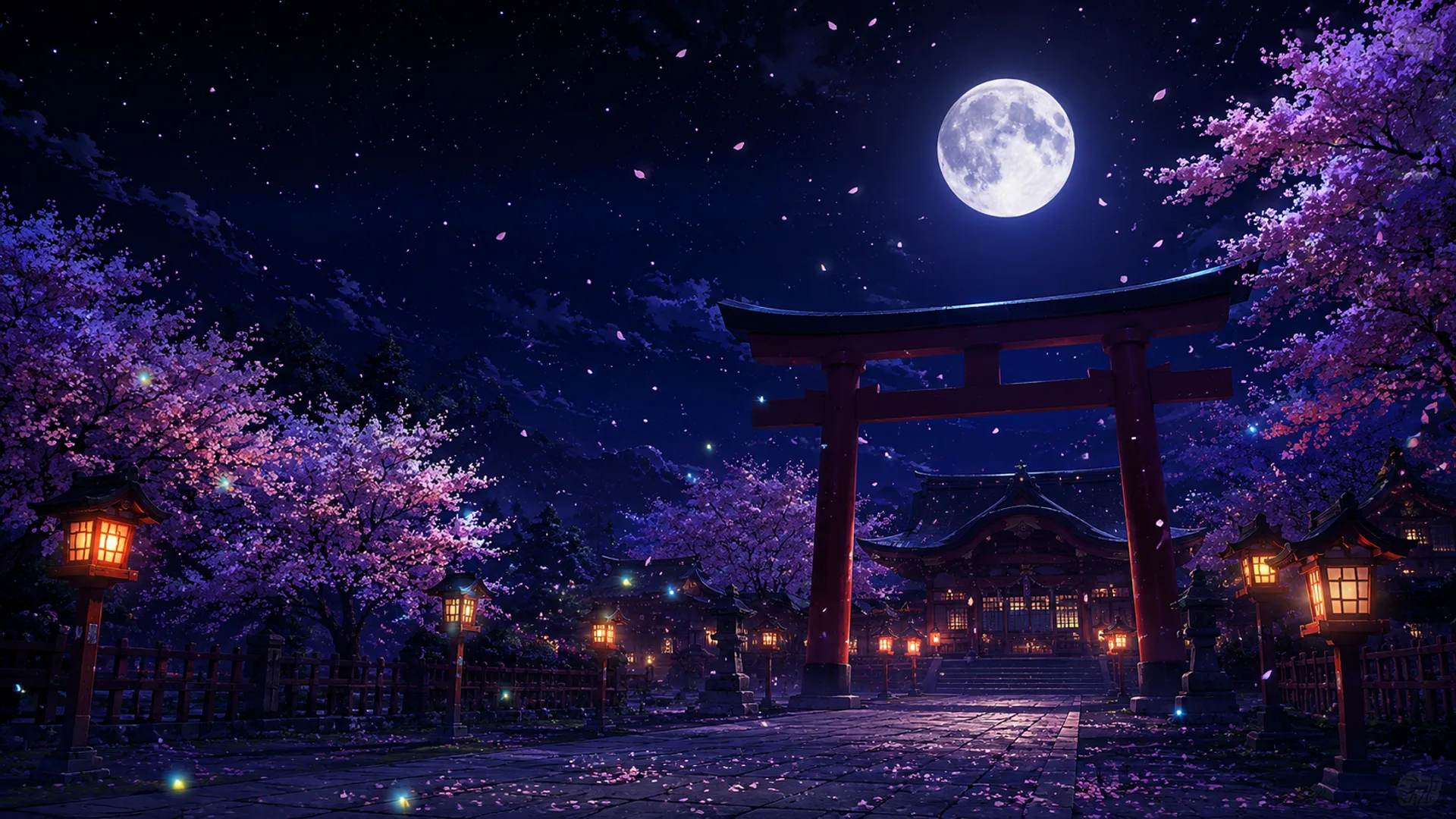 |
效果展示
| 深色主题 · 场景一 | 深色主题 · 场景二 |
|---|---|
 |  |
| 浅色主题 · 场景一 | 浅色主题 · 场景二 |
|---|---|
 |  |
特性
- 博丽神社昼/夜实景对话背景(亮/暗主题自动切换;浅色模式带柔光罩缓解刺眼)
- 灵梦站姿/飞行双立绘(左侧栏联动避让、对话页移向安全边缘)
- 统一半透明面板:侧边栏、对话头部与输入框使用同一套半透明渐变 (浅色纸白 / 深色深棕),随主题自动切换;内部控件(品牌行、按钮、搜索框) 融入面板,整体干净统一
- 主题感知文字:浅色模式深墨文字、深色模式纸白文字,保证两种主题下可读
- 简洁无横幅:顶部缘带、悬浮横幅、底部装饰条与输入框/侧边栏画框均已移除
- 朱红、纸白、金色点缀(头像 favicon、标题字标、选中态缎带)
- 素材内嵌于 client bundle(数据 URI),激活不依赖任何临时文件/远程 URL
安装
方式一:一行命令直装(推荐)
dsh plugin --profile web add https://github.com/xiake595/touhou-hakurei
也可以直接把仓库地址交给 DSH:「安装一下这个皮肤包:https://github.com/xiake595/touhou-hakurei」。
方式二:本地路径(开发 / 已克隆仓库)
git clone https://github.com/xiake595/touhou-hakurei
dsh plugin --profile web add ./touhou-hakurei
卸载
dsh plugin --profile web remove @dsh-external/dsh-client-ui-skin-hakurei-shrine
加载即生效、卸载即复原(wiring.id 为 ui-skin-hakurei)。皮肤之间的
互斥切换由皮肤管理工具(如 dsh-skin)或 profile 的 bundles 配置管理。
以 GitHub 方式安装时,pnpm 会对
@deepseek-ai/cordis报一条 peer dependency 警告——该依赖由 DSH 运行时提供,属预期提示,不影响使用。
素材
仓库内的素材嵌入(assets-gen/ 与 src/client/*.generated.ts)已经生成完毕,
克隆后无需本地素材即可直接构建使用。
如需替换为自己准备的素材:
- 准备素材目录(默认
C:\Users\1\Desktop\图片),包含:processed-v2/:bg-light.webpbg-dark.webp(神社昼夜背景)、reimu-stand.webpreimu-fly.webp(灵梦立绘)、banner.webp(横幅)方框.png(侧边栏竖幅画框)、对话框.png(输入框横版画框)
- 修改
tools/generate-assets.cjs顶部的ASSETS_DIR/RAW_DIR路径 - 运行
node tools/generate-assets.cjs重新生成素材嵌入
装饰素材(鸟居、日轮、朱印牌、缘带、工作区缎带等)由
tools/generate-assets.cjs 程序化生成(SVG → webp)。
开发与构建
pnpm install
pnpm build        # tsdown 构建 lib/(node 入口 + client bundle)
辅助脚本:
node tools/generate-assets.cjs   # 重新生成素材嵌入(需要 sharp 与本地素材)
node tools/rewrite-css.cjs       # 重新生成 hakurei.module.css(色板转换)
node tools/rewrite-index.cjs     # 重新生成 src/client/index.ts(重命名/横幅接线)
致谢与许可
- 皮肤工程结构(构建预设
build/tsdown.client.ts、皮肤脚手架、布局/动画工程) 源自 dsh-deep-whale 的 maid-atelier(作者 Small-tailqwq) - 背景 / 角色 / 画框素材来自用户本地素材(详见
NOTICE) - 本皮肤以 CC BY-NC-SA 4.0 发布,禁止任何商业性使用。见
LICENSE与NOTICE。


