
dsh-plugin-manager
Agent 与工作流TAOxxx7/dsh-plugin-manager
DeepSeek Harness 桌面端和原生 Web 配置的插件管理器,提供分类管理、市场搜索、安装、更新和启动检查。
- ai-agent
- cordis
- deepseek
- deepseek-desktop
- dsh
- dsh-plugin
- harness
验证与兼容性
这里展示目录实际采集到的证据;未声明的信息会明确标为未知。
- 当前版本兼容性
- 已在当前目录版本验证
- 声明的 Harness 范围
- 未声明
- 声明的平台
- 未声明
- 适用 Profile
- web
- 构建授权
- 未知
- 权限声明
- 未声明
- 外部服务
- 未声明
- 遥测声明
- 未知
这不是安全背书;安装前仍应查看源码、权限和配置。
查看证据与判定范围
验证仅覆盖标出的来源、版本和 Harness 环境,不代表未来版本仍然兼容。
dsh-plugin-manager-community@0.1.3- 插件通过清单与静态结构检查,尚未完成运行时加载检查。
README
DSH Plugin Manager
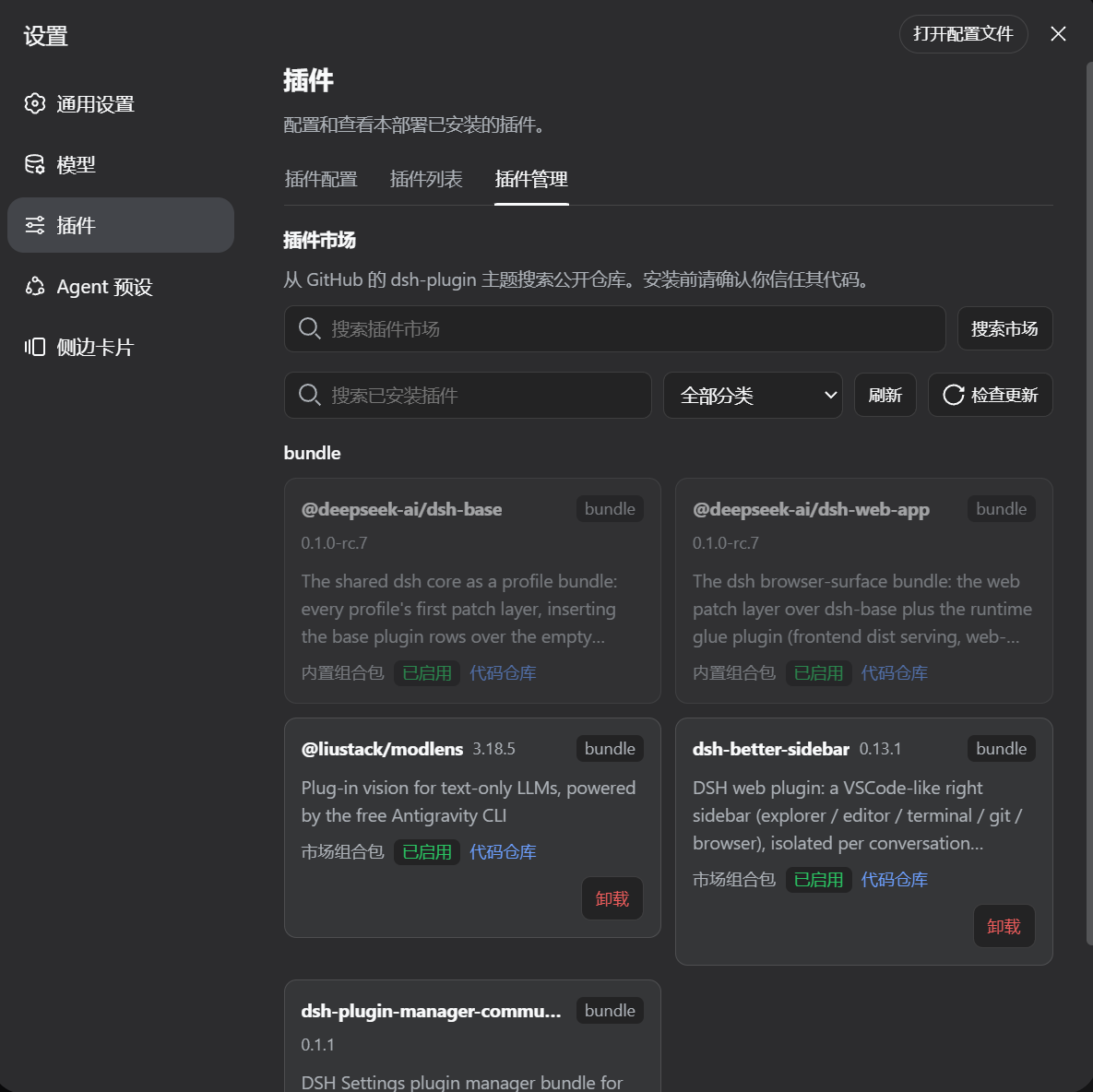
An independently publishable DSH bundle that adds a categorized plugin manager to Settings → Plugins.
This repository is intentionally shaped like a normal DSH community plugin:
- the root
package.jsonis the installable npm package; dsh.bundle.patchmounts the Host gateway;dsh.clientloads the browser Settings tab in native Web clients;lib/contains the already-built Host and Client artifacts;- GitHub is the source, documentation, and
dsh-pluginmarket-discovery page; - npm is the normal installation and update channel.
Screenshots
What it provides
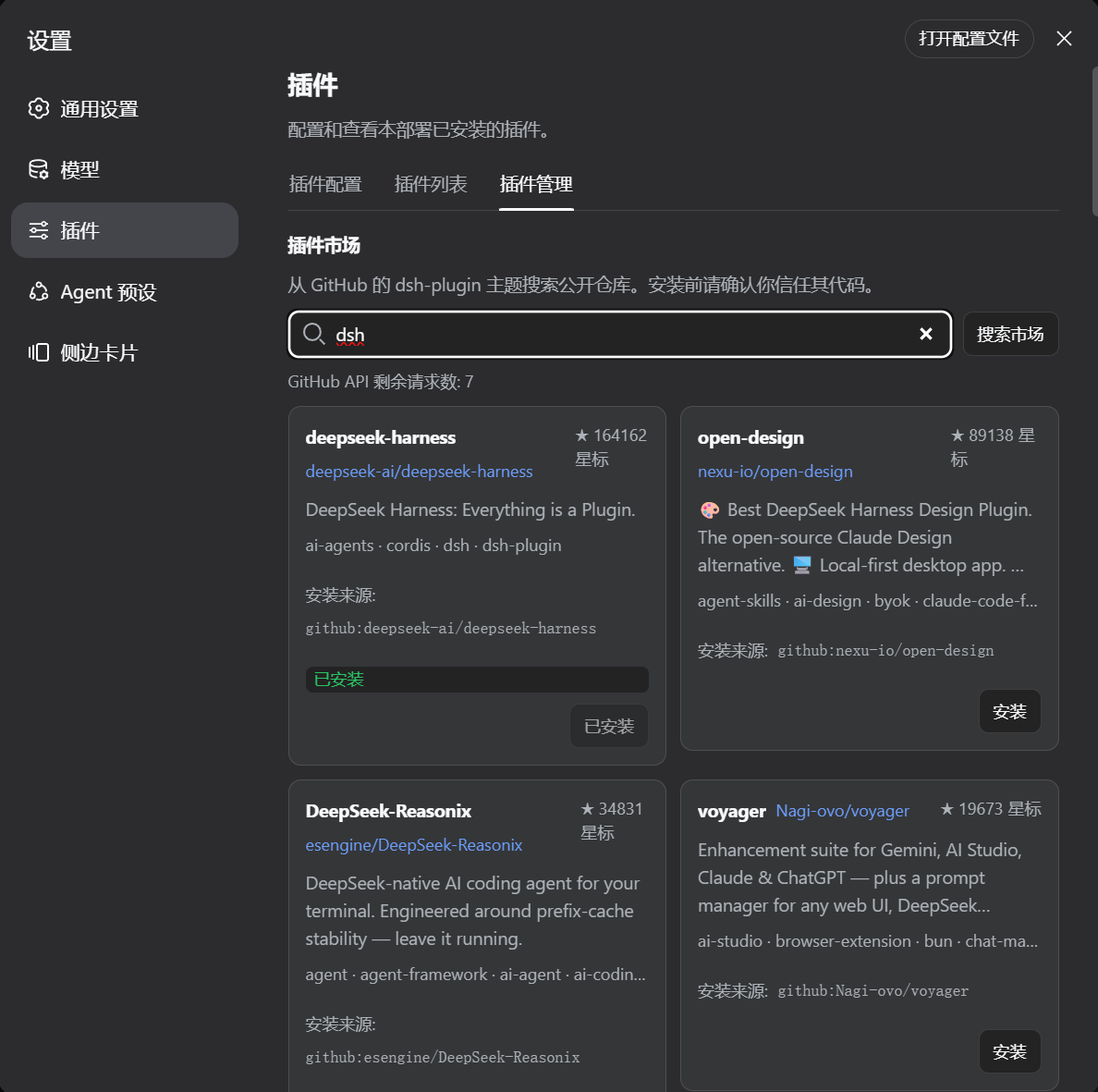
- categories for every installed profile package;
- GitHub
dsh-pluginmarket search; - duplicate-install detection;
- npm-first installation when a market repository publishes a DSH bundle;
- GitHub fallback for unpublished repositories;
- uninstall, single-package update, update checking, and startup checks;
- GitHub Release checks for source-installed plugins with semver tags, with commit-head fallback for unpinned sources;
- explicit pnpm build approval/retry with captured diagnostics;
- an install-complete restart prompt for Desktop and native Web;
- the same active-profile behavior in DSH Desktop and
npx @deepseek-ai/dsh web.
Install after publishing
Replace the package name below if the publisher renames it:
dsh plugin --profile desktop add dsh-plugin-manager-community@latest

# Native Web profile
npx -y @deepseek-ai/dsh plugin --profile web add dsh-plugin-manager-community@latest
npx -y @deepseek-ai/dsh web
After installing a newer package version, restart the current DSH process so the new bundle layer is loaded. The Settings tab asks about restarting after a successful market install.
The native Web restart intentionally replaces the running Node process. Depending on browser timing, the HTTP request that triggered the restart can still surface as Failed to fetch; the current lib/client.js recognizes that Web-only disconnect as an expected restart and displays a reconnecting status. Publish lib/index.js and lib/client.js from the same release.
Compatibility
The plugin manager is verified against DeepSeek Harness (DSH) Desktop and the native Web profile of the same application. The dsh.client.platform: "web" declaration describes the browser face; it is not a GitHub-only installation mode. A remote browser still controls the Host/profile running the DSH process, so package operations occur on that machine.
On Windows native Web, the Host resolves pnpm in this order: DSH_PNPM_BIN, the active profile/shared DSH pnpm package, PNPM_HOME/npm global directories, PATH, and finally Node.js Corepack. Direct .exe/pnpm-script launches avoid shell splitting of paths such as C:\\Program Files; .cmd shims are quoted when needed. Command output uses UTF-8 with a GB18030 fallback so Chinese cmd.exe diagnostics remain readable. If none of those locations is available, install Node.js/Corepack or set DSH_PNPM_BIN to the full pnpm.cmd path, then restart the Web process.
Development note
lib/ is the release artifact copied from the verified Harness build. src/ is included for review and future maintenance. The current source mirror is kept aligned with the Harness implementation; the handoff instructions publish the verified artifact directly and do not require a Harness monorepo checkout.
See HANDOFF.md and PUBLISH.md for the exact publishing checklist.


